
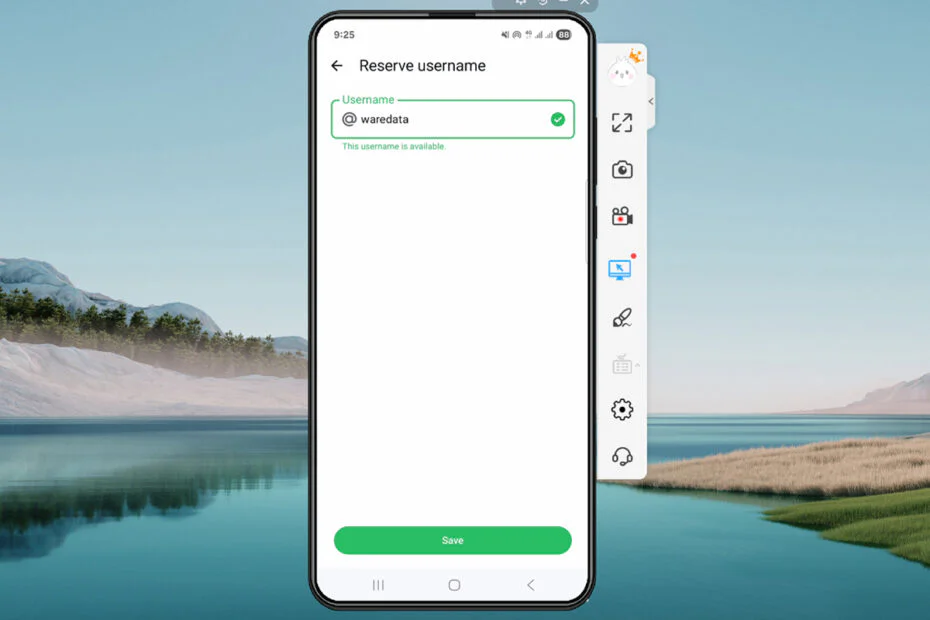
WhatsApp is adding usernames to give users a more private way to connect. Early reservations begin this week, allowing people to claim a username before the wider rollout. With usernames, users won’t need to share their phone numbers to start a conversation.
A phone number is personal, so many people prefer not to share it right away. WhatsApp says this is common when connecting with new classmates, neighbors, or people met at events. It can also be a concern when joining group chats, such as a parents’ soccer team chat, before feeling comfortable sharing contact details with everyone.
That’s where usernames come in. Since billions of people use WhatsApp, it’s no surprise that many names will already be taken. By opening reservations early, the company is giving everyone a chance to claim the username they want before the wider rollout.
Most people will probably pick a username that’s unique and only share it with the people they actually want to connect with. If coming up with one is a challenge, WhatsApp will offer a username generator to help.
WhatsApp will also allow creators, small businesses, and organizations to use their existing Instagram or Facebook username, helping them maintain a consistent identity across Meta‘s platforms.
Usernames are part of WhatsApp‘s ongoing privacy improvements. The app won’t offer a searchable directory or username suggestions, so people will need your exact username to contact you for the first time. Users can also enable an optional username key for additional control. With usernames enabled, first-time contacts will see your username rather than your phone number.
Claiming a username only takes a few seconds. Just open the latest version of WhatsApp and head to Settings > Account > Username. The rollout will happen gradually over the next few months, and WhatsApp will let you know in the app when it’s available in your area.
How to Claim WhatsApp Username (More Details)
1. Open WhatsApp and select the Settings menu. Make sure your WhatsApp is the latest version.
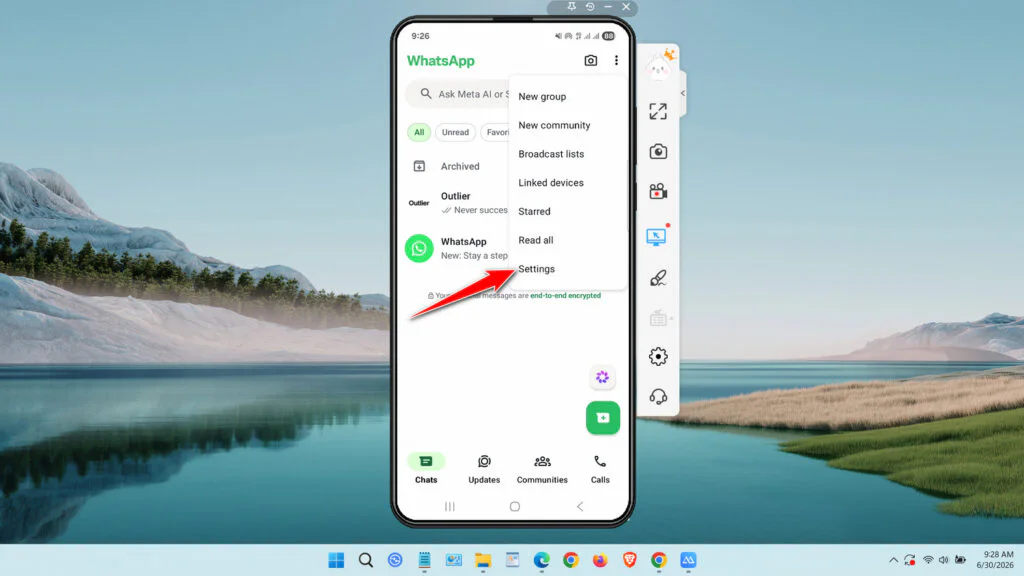
2. Select the Account menu.
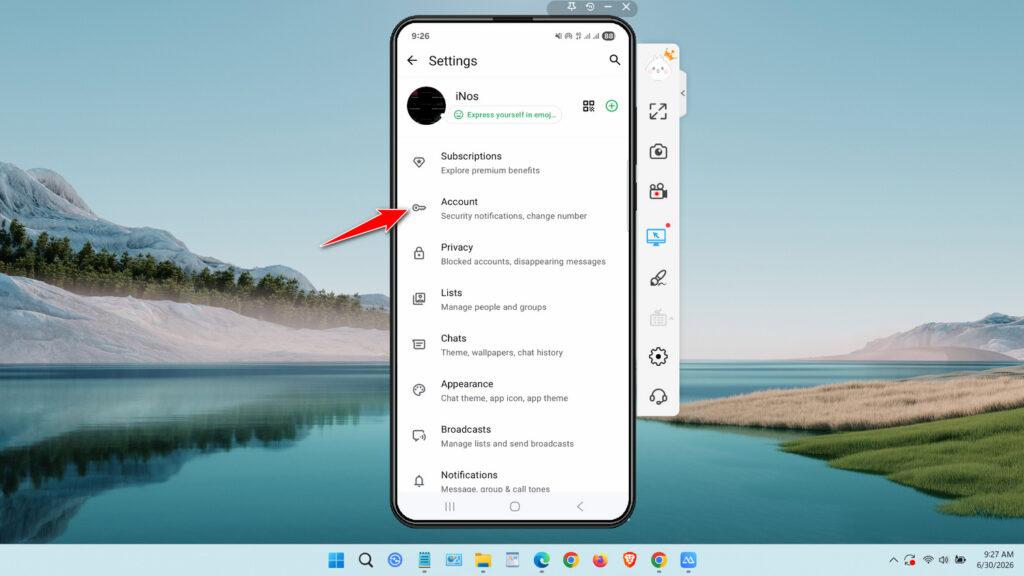
3. Tap the Username menu.
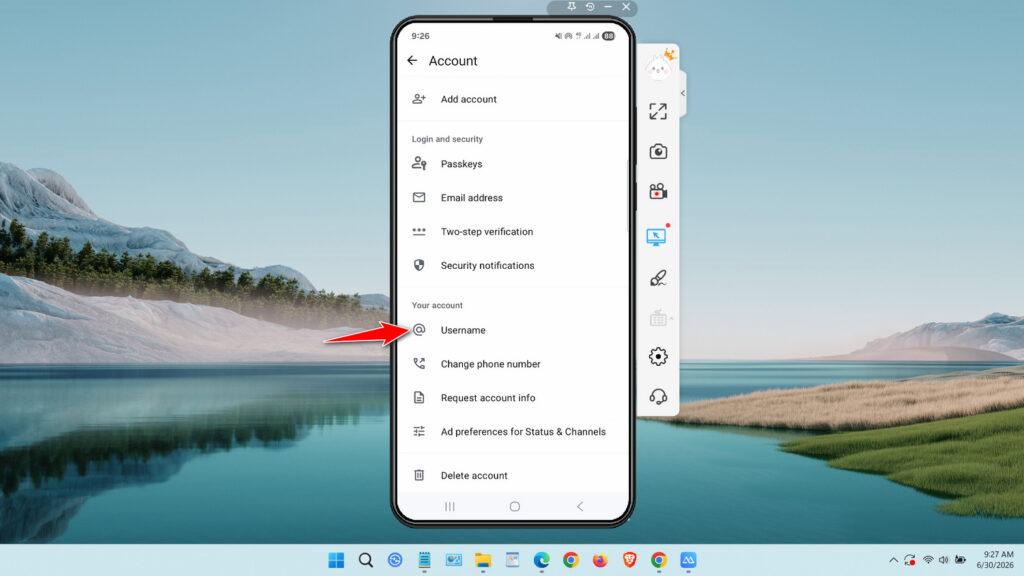
4. Tap the Create username button.
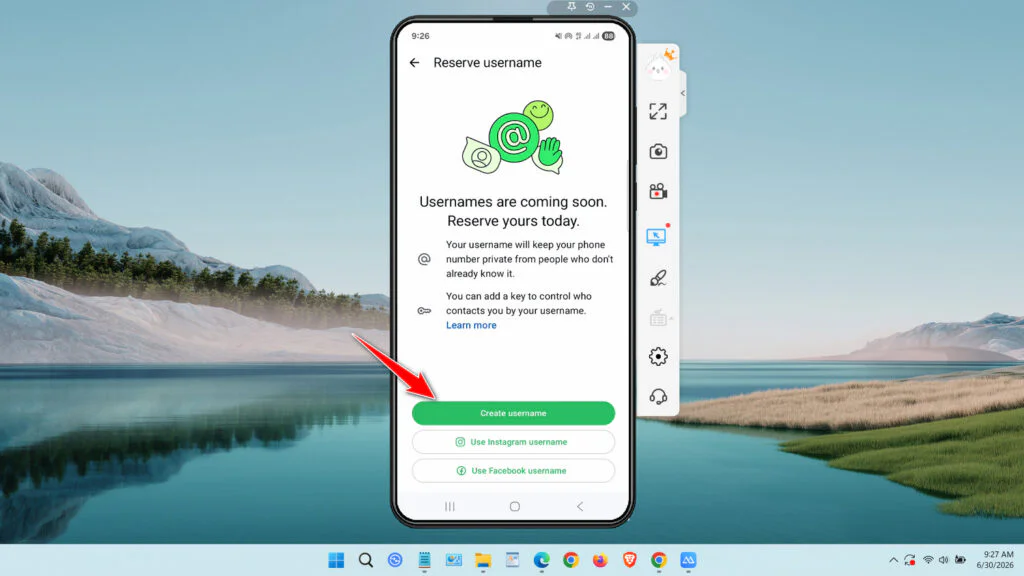
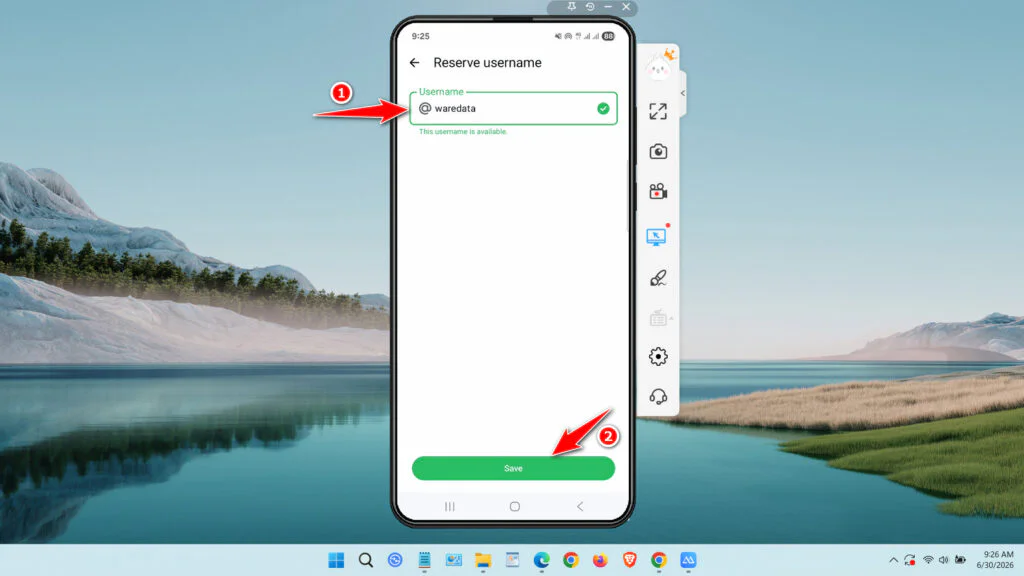
5. Create the username you want and click Save.
Guide Video on How to Claim a WhatsApp Username
Maybe you’d like some other interesting articles?