
The Samsung ML-1665 is an older monochrome laser printer, but it can still be useful if you only need a simple printer for documents, invoices, schoolwork, or everyday office tasks. The tricky part is getting the right driver when you’re using a newer version of Windows.
Samsung’s printer business was acquired by HP, so current driver and support information for the ML-1665 is now hosted through HP’s support website. HP’s official support page still lists Windows 10 and Windows 11 as selectable operating systems for the Samsung ML-1665.
But if you have difficulty finding the driver software, then you can download the Samsung ML-1665 printer driver software here. We obtained the driver software directly from the HP site, so we ensure it is safe to use.
Table of Contents
- What is the Samsung ML-1665 Driver
- How to Install Samsung ML-1665 Printer Driver on Windows 10 & 11
- Samsung ML-1665 Printer Driver for Windows 10 & 11 Download
What is the Samsung ML-1665 Driver
The Samsung ML-1665 driver is a software package that you must install, especially if you are using an operating system such as Windows 10 or Windows 11, so that the printer can be recognized by Windows, allowing you to use the printer to print documents as well as for your business needs.
Without driver software, it is very unlikely for applications on Windows to recognize the presence of a printer, so it is likely that without driver software you will not be able to use the printer.
How to Install Samsung ML-1665 Printer Driver on Windows 10 & 11
1. Before you install the Samsung ML-1665 driver, it is important to make sure that your printer is connected to your Windows computer, either via cable or using WiFi. Then also make sure the printer is turned on and not off.
2. Then you can download the Samsung ML-1665 printer driver through the link below this article.
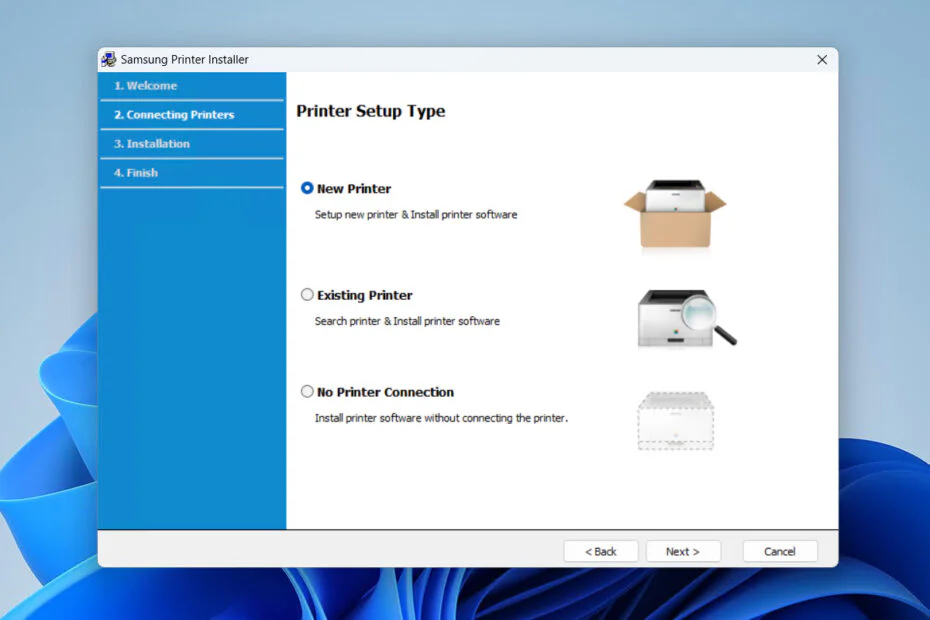
3. Double-click on the driver software that you have downloaded, then follow the installation instructions that appear on your computer screen until the installation is complete.
4. After the installation is complete, you can restart your Windows computer so that the driver software is installed properly.
5. After all those steps, the printer should be able to be used as it should.
Samsung ML-1665 Printer Driver for Windows 10 & 11 Download
For you, especially users of the Windows 10 and Windows 11 operating systems who need the Samsung ML-1665 printer driver, you can download the driver software through the following links.
File Size: 38.4
File Type: .EXE
Maybe you would like other interesting articles?