
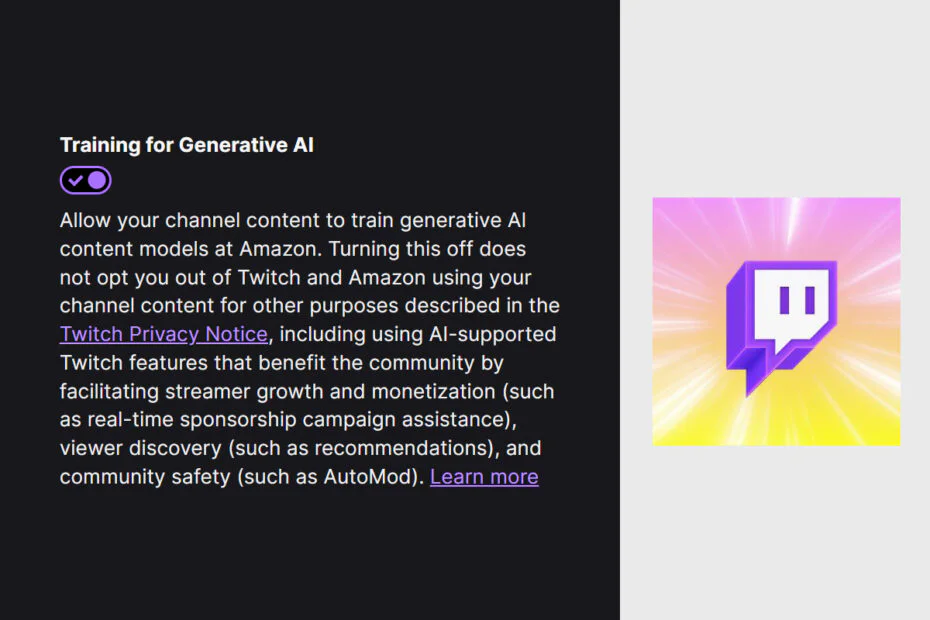
Twitch has begun allowing Amazon to use channel content to train generative AI models, with the option enabled by default. Zach Bussey, a streamer and content creator reporter, first noticed the change, as reported by Kotaku. The move has received a largely negative response online.
The account setting, which appears in Twitch’s security and privacy options, is described by the platform this way:
“Allow your channel content to train generative AI content models at Amazon. Turning this off does not opt you out of Twitch and Amazon using your channel content for other purposes described in the Twitch Privacy Notice, including using AI-supported Twitch features that benefit the community by facilitating streamer growth and monetization (such as real-time sponsorship campaign assistance), viewer discovery (such as recommendations), and community safety (such as AutoMod).”
During a livestream where Twitch executives answered questions about the setting, chief product officer Mike Minton gave a blunt explanation for why it is enabled by default.
“Well, there’s an honest answer,” he said. “And I think most of you probably can appreciate this. If it was opt-in, nobody would opt in. That’s honestly the answer. So it’s going to be on by default.”
For creators who want to turn the setting off, the option is easy to change once located, though it is somewhat buried in account settings.
How to turn off Twitch’s generative AI training setting
- Click your profile picture in the top right corner of Twitch.
- Select Settings from the dropdown menu.
- Choose the Security and Privacy section.
- Scroll down to Training for Generative AI, located near the bottom of the page.
- Click the toggle to turn it off.
Once toggled off, your channel content will no longer be used for that specific generative AI training purpose, though Twitch and Amazon may still use content for other purposes described in the Twitch Privacy Notice.
Maybe you would like other interesting articles?