
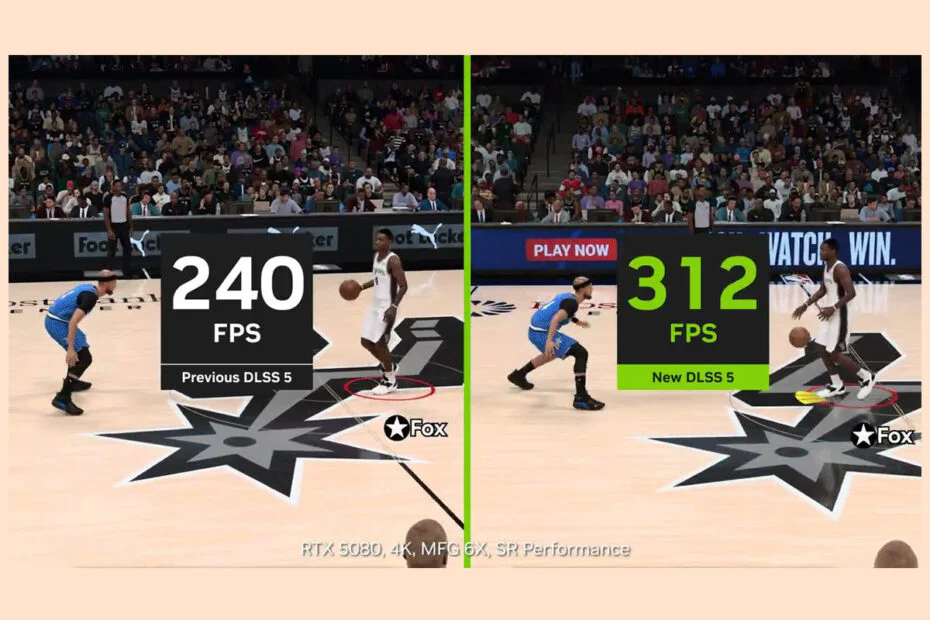
Nvidia is working to reduce the performance cost of DLSS 5 in NBA 2K27. The neural rendering feature has lowered frame rates by at least 60% since the game’s September release. An update on Friday, October 16, is expected to significantly lower DLSS 5’s performance and VRAM requirements.
According to Nvidia, the NBA 2K27 update doubles DLSS 5’s rendering speed and raises overall frame rates by up to 40%, with visual quality staying similar. The company says VRAM usage at 4K drops by 20%, a result of improvements to the neural model and the wider rendering pipeline.
In early September testing, running NBA 2K27 at 60 frames per second with maximum settings and DLSS 5 neural rendering enabled effectively required an RTX 5090. An RTX 5070 could nearly do the same at 1440p, and upscaling gave only a small improvement. The October 16 update may make smooth performance more attainable on mid-range and upper-mid-range GPUs.
Games that get official DLSS 5 support from later this year will run on the new, faster model by default. Nvidia also plans to bring DLSS 5 to RTX Spark-equipped PCs, Hogwarts Legacy, Where Winds Meet, and older games through RTX Remix before the year is out.
Hogwarts Legacy will support DLSS 5 with the new model starting November 5. Screenshot comparisons indicate that Avalanche Software has substantially reduced the neural renderer’s effect on the game’s visuals since the March demonstration. That demonstration was widely criticized for altering skin textures and possibly hallucinating new details. The new version seems to change lighting and shadows without touching characters’ faces.
Where Winds Meet will adopt DLSS 5 as well, with a considerably more aggressive change to its visuals.
Official neural rendering support is also coming to classic games through RTX Remix on October 23. Screenshot comparisons of Fallout 4 and the original Mirror’s Edge show differences in reflections, lighting, shadows, and ambient occlusion.
Separately, a beta update to the Nvidia app adds a new frame generation preset that prioritizes performance over a small amount of visual quality. Preset C uses a lighter version of one of the algorithms that analyze in-game elements. Nvidia says the performance mode is up to 35% faster on an RTX 5060.
To use the preset, update the Nvidia app and enable beta features. Then open Graphics > Global Settings, or select an individual supported game, and go to Driver Settings > DLSS Override – Model Presets > Custom > Frame Generation > Preset C.
Maybe you would like other interesting articles?