
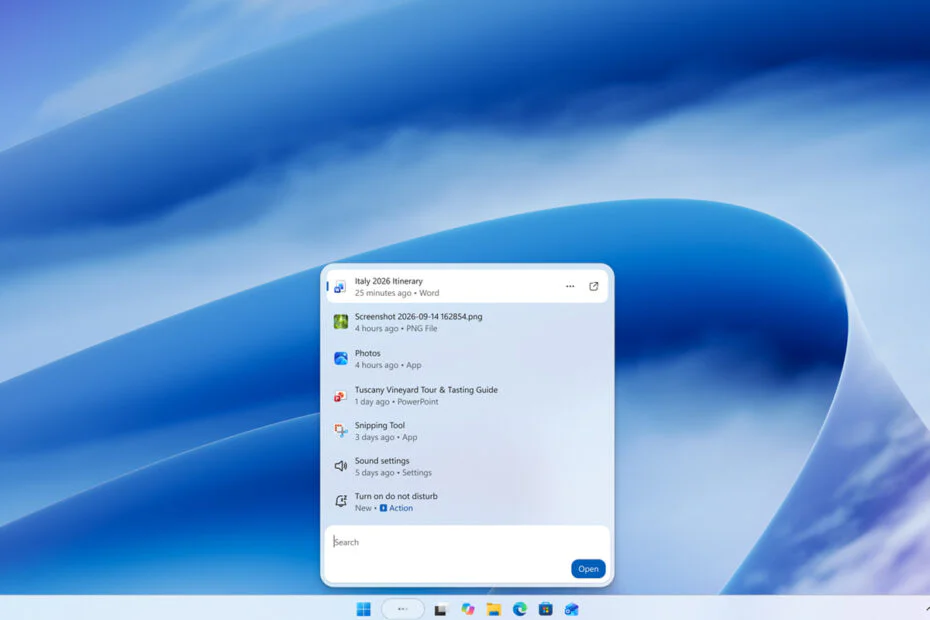
Microsoft is once again redesigning Windows Search, introducing a new look and natural language-based interactions for Windows 11 that are intended to feel like AI-powered technology. The update arrives just in time for the company’s latest Surface-focused event.
Microsoft says the redesigned search will be leaner and more focused, with a wave of new AI features meant to turn the “humble” search box into a Swiss Army knife.
According to Microsoft, the new redesign builds on the improved search box released earlier this year. Search is now built on the WinUI 3 API, so it should be a lot faster and lighter than before. The move shows Microsoft’s heavy investment in WinUI and native code as it tries to regain the trust of skeptical Windows users.
The Windows Search interface will include a unified list that combines search results and previews. Microsoft said its data showed that most clicks happened in the results list instead of the preview pane. Search has also been designed to better understand queries and return relevant matches for typos and synonyms. The intended result is a powerful, Google-like search engine that runs locally on a user’s device.
Windows Search will also show “rich” inline previews pulled straight from the web, so users can check the weather, look up facts, and more without leaving the taskbar. Microsoft is adding a new “inline actions” feature as well.
Inline actions will allow users to complete tasks in Windows without opening external apps or going to additional system settings pages. Microsoft is launching with a few common tasks, including toggling options and making quick changes to system settings. Some options for managing open windows and displays are also included.
Microsoft did not describe inline actions as a feature powered by a large language model. The company said its ultimate goal is to make Windows Search a more Copilot-like experience in the future.
The redesigned Windows Search is already available to beta testers in the Windows Insider program. Users who want to try it have to turn it on through feature flags in the Insider settings and install the latest Windows updates.
Maybe you would like other interesting articles?