
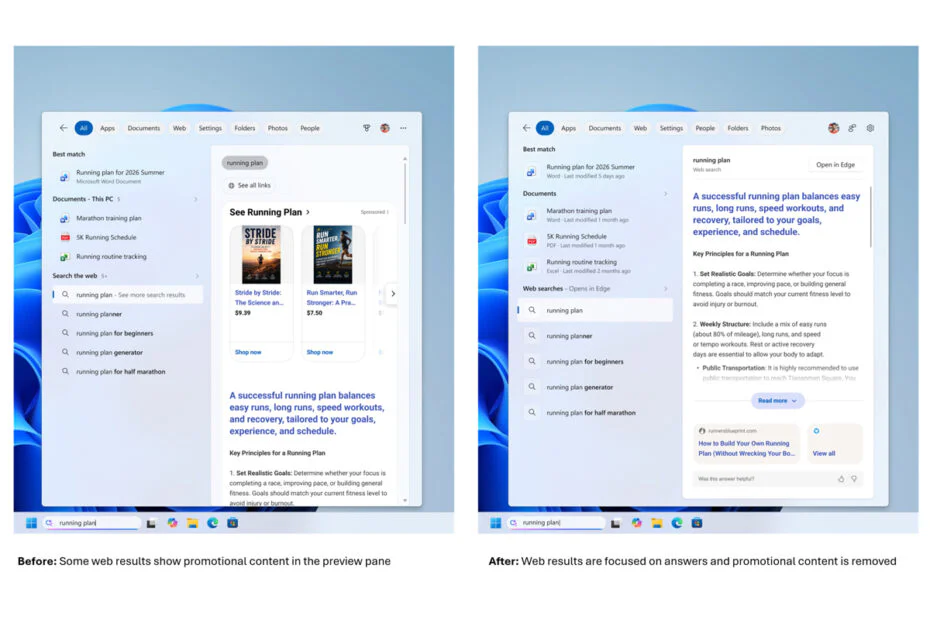
Microsoft is simplifying the Windows search experience by putting the focus back on finding apps, files, and settings. The redesigned version is now rolling out to Windows Insiders in the Experimental channel and looks noticeably different from the search interface in current Windows releases.
A cleaner home screen
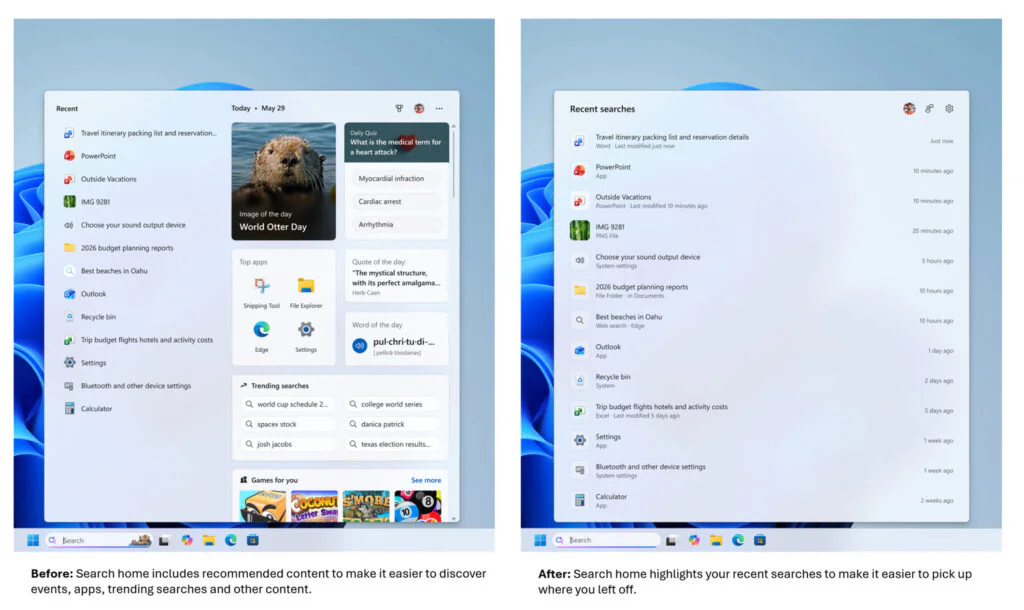
The biggest change is visible on the search home screen. Microsoft has replaced the previous layout, which mixed recent apps with content like daily quizzes, word suggestions, search trends, and game recommendations, with a much cleaner and less cluttered interface.
The updated home screen prioritizes recent searches and local content, replacing the news and entertainment-focused elements seen in earlier versions. Anyone who regularly uses Windows Search will likely notice the difference right away.
Clearer results, less promotion
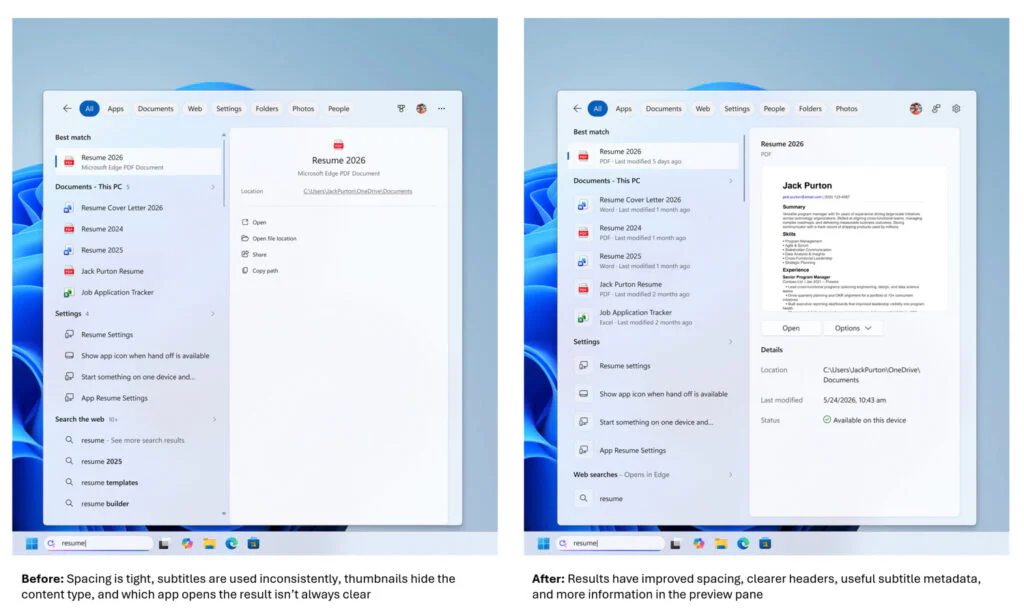
Along with the cleaner interface, Microsoft has improved the way search results are presented. Results now clearly show whether they are apps, settings, files, web pages, or Microsoft Store suggestions, making them easier to identify at a glance.
Microsoft is also reducing promotional content in web search results. Previous versions of Windows 11 often placed product suggestions and other promotional elements ahead of actual search results. The redesigned experience instead presents web results more directly, keeping the focus on the information users are looking for.
More control over online content
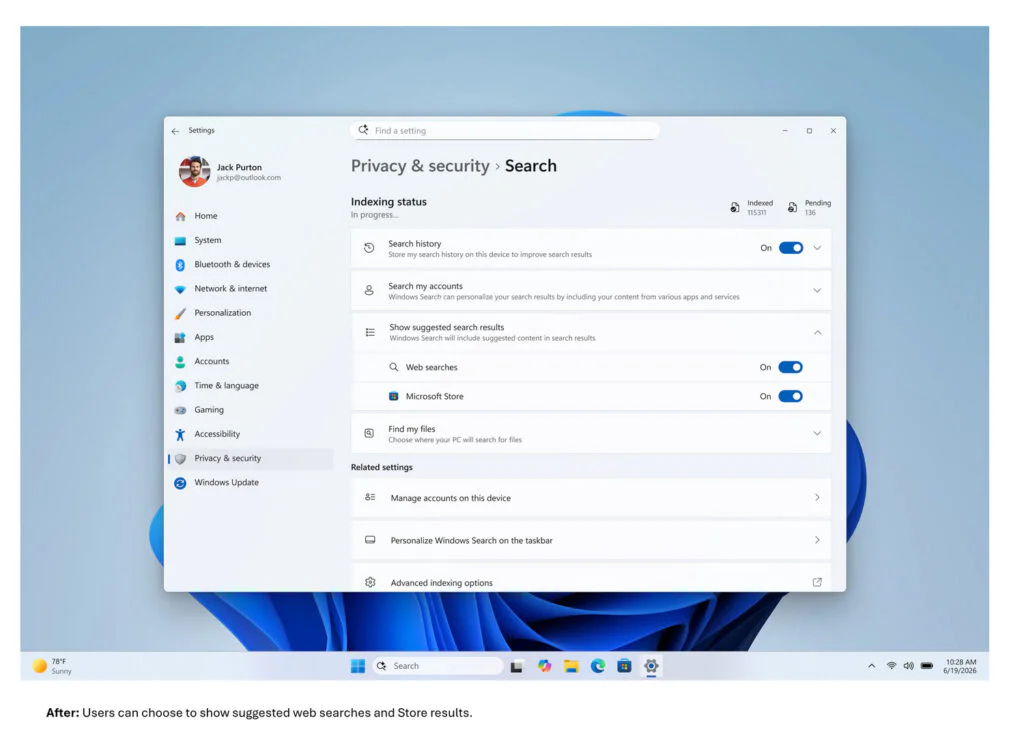
A new option in Settings > Privacy & Security > Search lets users enable or disable web and Microsoft Store suggestions. When the feature is turned off, the search experience focuses on local apps, files, and settings instead of combining them with online results.
Local-first ranking and smarter matching
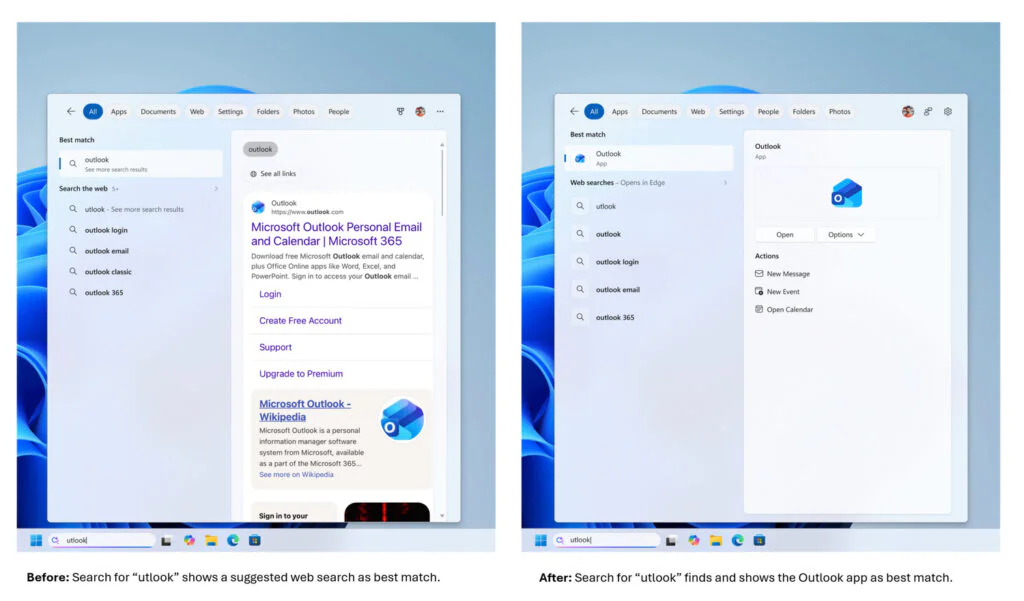
Microsoft has also changed how search results are ranked to support its new local-first approach. Apps, settings, and files are given higher priority when they closely match a search, while core system items such as This PC and Recycle Bin are now easier to find.
The search box is now better at understanding what users mean, even if they misspell an app name or type only part of it. Entering something like “utlook” can still bring up Outlook. Microsoft has also improved file search, so even two-letter searches now work better for short file names and codes.
The update also improves how cloud and connected files are displayed in search results. When an online file is the closest match, it can appear ahead of local content, making it easier to find documents, downloads, and folders regardless of where they are stored.
Settings search and reliability
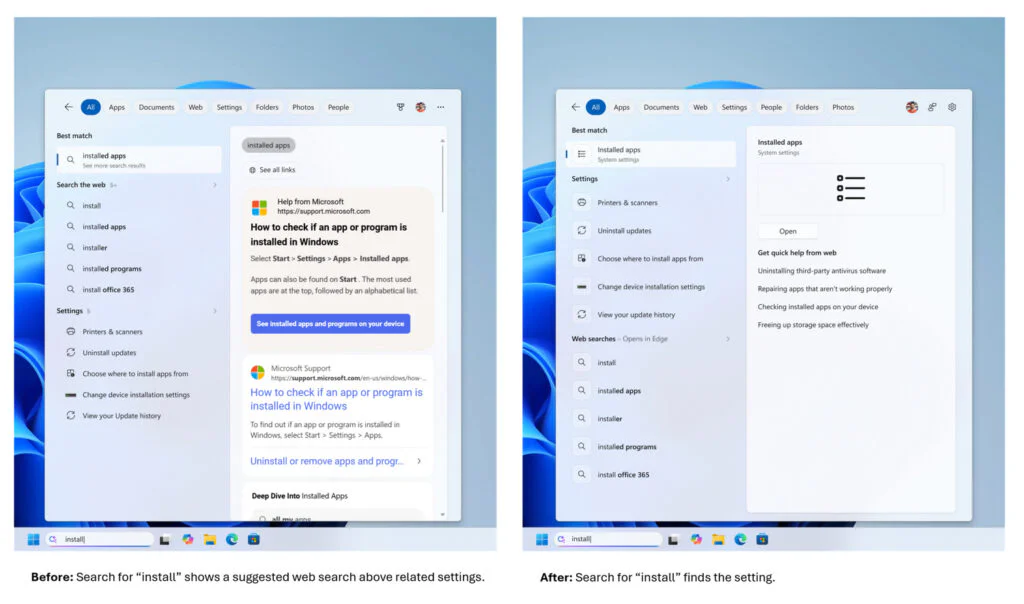
Settings search is getting attention as well. Microsoft has revised how results are ranked so that more relevant options appear closer to the top. The company plans to make further adjustments based on feedback from the Experimental channel.
Alongside the interface changes, Microsoft is refining the stability of Windows Search. Ongoing work includes reducing crashes, improving load times, and addressing reliability issues as development progresses.
Gradual rollout
The feature is being deployed through Microsoft’s Controlled Feature Rollout framework, allowing the company to enable it for users in phases. Even devices enrolled in the Experimental channel may not receive the update immediately. Depending on the build, users may need to restart their system or manually enable feature flags. A broader rollout is expected after Microsoft completes additional validation using performance metrics and Insider feedback.
Maybe you’d like some other interesting articles?