
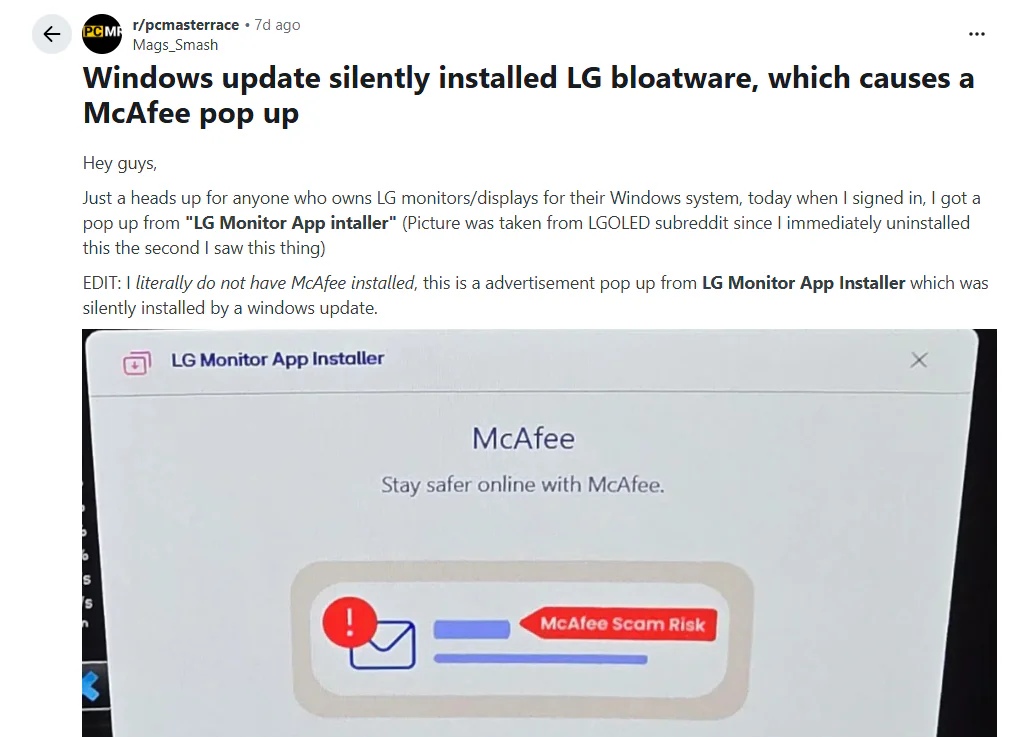
Some owners of LG and Alienware monitors have reported that their displays are silently installing software that generates pop-up ads without user consent. The issue came to light after one user traced persistent McAfee advertisements to an application that had been automatically installed when setting up a new LG monitor.
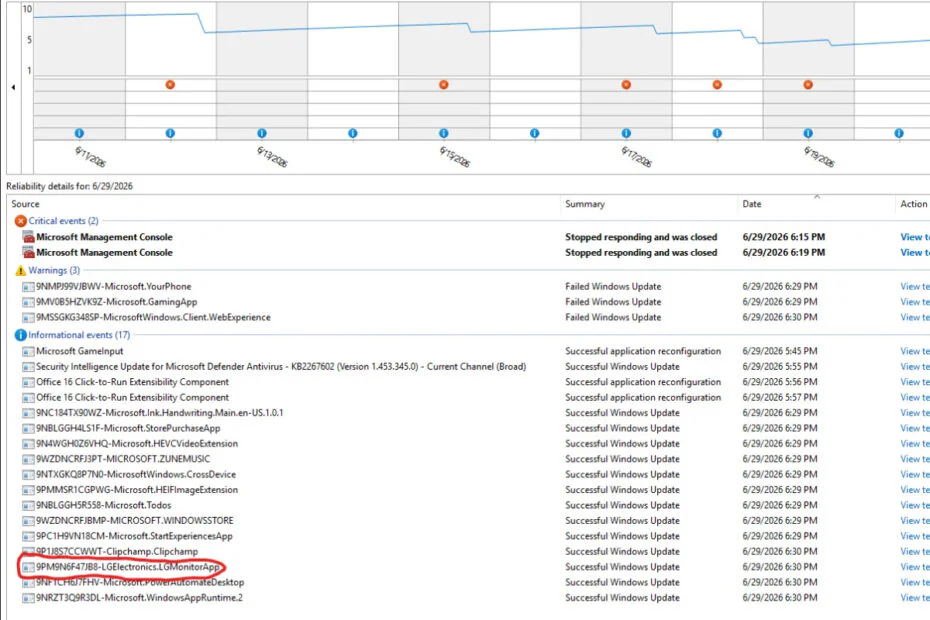
Reddit user “Mags_Smash” noticed repeated McAfee pop-ups on a PC where McAfee had never been installed. The user later discovered that an “LG Monitor App Installer” had been automatically installed through the Microsoft Store and Windows Update after connecting an LG UltraGear 27GP83B and two 27GN800 monitors. The app appeared in Reliability Monitor as “9PM9N6F47JB8-LGElectronics.LGMonitorApp,” and Event Viewer logs confirmed the installation.
As more people joined the discussion, similar reports began to appear. Some users found the LG Monitor App already installed on their computers, while others said Dell and Alienware monitors had done something similar. Many compared the behavior to Asus motherboards, which are known for automatically installing Armory Crate.
The application cannot be uninstalled through the Microsoft Store. For most users, the easiest way to stop it from running is to disable it from launching at startup by turning it off under Settings > Apps > Startup.
Mags_Smash also shared two longer-term fixes, both of which require using the Local Group Policy Editor. One disables the automatic download of apps linked to a device’s metadata through gpedit.msc > Computer Configuration > Administrative Templates > System > Device Installation. The other is a broader solution that turns off the Microsoft Store entirely by enabling the Turn off the Store application policy under gpedit.msc > Computer Configuration > Administrative Templates > Windows Components > Store.

The incident is part of a wider trend of unsolicited advertising appearing across different types of devices. Although the McAfee pop-ups resemble the nagware many users remember from the early 2000s, intrusive ads are now common on smartphones, AI platforms, and smart TVs. Companies such as Amazon Prime, YouTube TV, and Hisense have all faced criticism over advertising practices that many users consider increasingly intrusive.
Maybe you’d like some other interesting articles?