
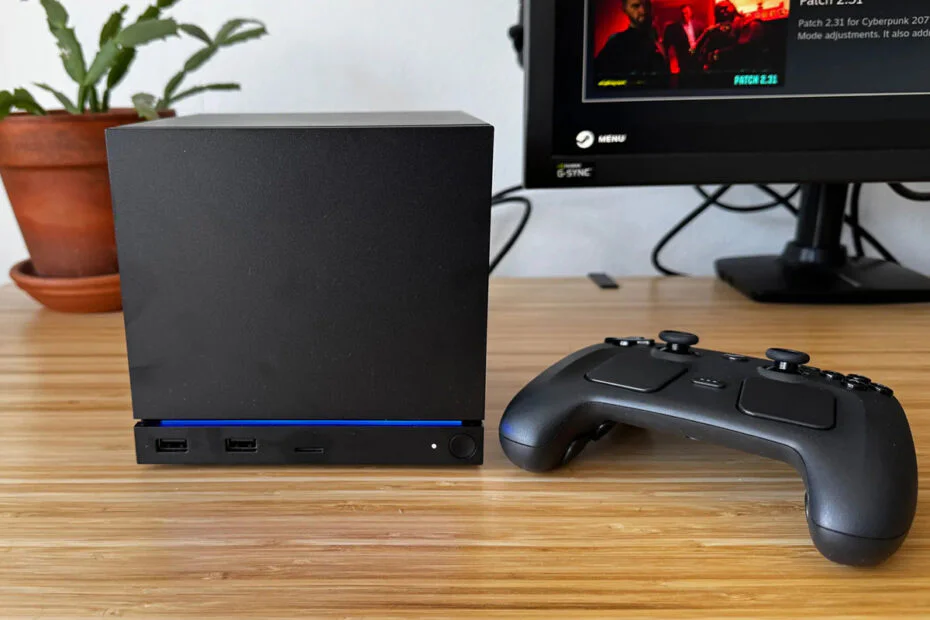
Just days after the Steam Machine began shipping on June 30, Valve released official Windows drivers for the device. That means users who want to install Windows can now do so without having to gather the required drivers themselves.
The Steam Machine, like the Steam Deck, is basically a PC that’s meant to support different operating systems. Valve has released drivers for the GPU, Bluetooth, Wi-Fi, and SD card reader, so after installing Windows, those features work just as expected.
Shortly before the drivers were released, Valve engineers Pierre-Loup Griffais and Yazan Aldehayyat told Tom’s Hardware how the rollout would work. Aldehayyat said Valve followed the same approach used for the Steam Deck by making the required drivers available through its website. At the time, Griffais noted that a few drivers, including Bluetooth support, were still being finalized. He also said Valve was working with AMD to ensure users would have up-to-date graphics drivers instead of an older launch version. Now that the driver package is available, those final pieces appear to have been completed as planned.
Before replacing SteamOS with Windows, users should keep a few things in mind. Installing Windows erases the drive. According to Griffais, dual-boot support is planned, but the current process requires manually resizing and repartitioning the storage. Valve has also said it will add a dedicated setup wizard to SteamOS in a future update, although no launch date has been provided.
There is one more issue for Windows users to consider. A clean installation does not include the Steam Machine’s Wi-Fi driver, so wireless networking won’t work right away. Because Windows setup eventually asks for an internet connection, users will need to plug in an Ethernet cable to complete the installation before adding the Wi-Fi driver.
Although SteamOS performs well for gaming, some users may still prefer Windows. The primary reason is anti-cheat compatibility. Many multiplayer games rely on anti-cheat software that developers have not made compatible with Linux, making Windows the better option for those games.
Before installing Windows, users should be aware that Valve doesn’t officially support the process. While the company provides the necessary drivers, it doesn’t offer technical assistance for Windows-related issues. If something goes wrong, users will need to troubleshoot it themselves. Valve’s only official recovery method is restoring SteamOS, which erases the drive and reinstalls the original operating system.
Maybe you’d like some other interesting articles?