

Microsoft security analysts have identified GigaWiper, a destructive backdoor created by combining at least three previously separate malware families. Detected in October 2025, the malware is written in Go and includes a wide range of surveillance and system-disruption capabilities.
Although GigaWiper functions as a backdoor capable of spying on infected devices and carrying out remote commands, its destructive features are just as concerning. The malware includes three separate wiping components: a raw disk wiper that overwrites data at the physical drive level, a fake ransomware module based on Crucio that encrypts files without preserving the recovery key, and a FlockWiper-inspired tool that uses a multi-pass process to securely erase the Windows system drive.
The backdoor supports 20 remote commands, several of which present serious risks to both personal users and organizations. It can capture screenshots, record video, and stream the user’s screen in real time while enabling remote keyboard and mouse control. The malware also uses TCP-based streaming and modifies Windows Firewall settings to help conceal its activity.
The malware isn’t only designed to cause damage. It also gives attackers plenty of control over a Windows PC by collecting system information and letting them manage running processes, Windows event logs, and the registry.
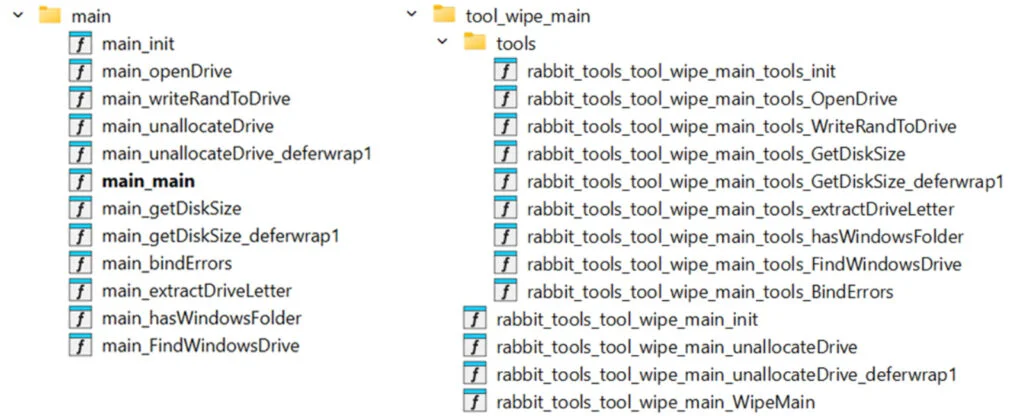
Microsoft has linked GigaWiper to both Crucio and FlockWiper based on similarities in execution flow, function names, and code strings. Its detection signatures also reference a third component, CutBrooch, which is believed to be the standalone wiper. The malware’s command-and-control infrastructure allows operators to keep persistent access to infected systems and execute destructive commands when needed.
Microsoft recommends several steps to help organizations reduce the impact of an infection. Among them are enabling tamper protection in Microsoft Defender and turning on cloud-based antimalware protection, which can identify newly emerging threats before local virus signatures are refreshed.
Maybe you’d like some other interesting articles?