
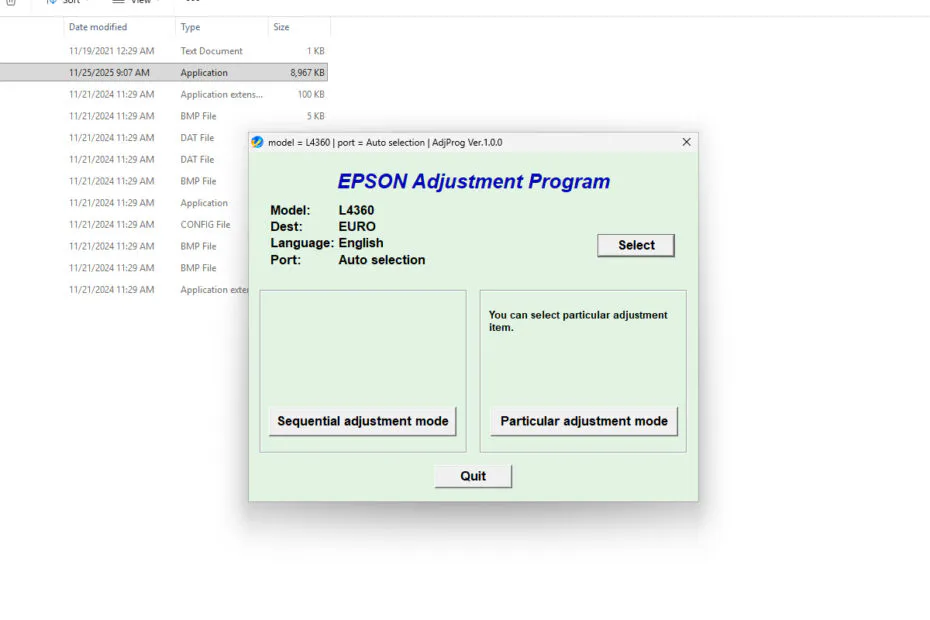
Epson L4360 Resetter is an adjustment program that can be used to perform maintenance on the Waste ink pad counter present in the Epson L4360 printer. However, since the Epson L4360 printer uses a built-in Maintenance Box Counter, the Maintenance Box Counter in particular cannot be cleaned using this resetter.
Below, we will provide a guide on how to clean the Ink System Pad Counter as well as the Platen Pad Counter on the Epson L4360 printer using this resetter software.
Table of Contents
Epson L4360 Resetter Function
The main function of the Epson L4360 Resetter is to clean the Platen Pad Counter as well as the Ink System Pad Counter. In addition, this resetter can also be used to perform other maintenance, such as unlimited Power Ink Flushing, unlike the printer’s built-in driver software. There are many other maintenance functions.
How to Use Epson L4360 Resetter
1. Before you download and use the resetter, you should first make sure that the printer is turned on and connected to a Windows PC. In addition, make sure to temporarily disable the antivirus so that the download process and using the resetter go smoothly.
2. After that, you can download the Epson L4360 Resetter through the link below this article.
3. Extract the downloaded resetter file by right-clicking on the file and then selecting Extract All.
4. Then open the resetter folder from the extraction results, and run the AdjProg.exe file by double-clicking on the file.
5. If the Windows Defender SmartScreen appears, please click More Info > Run anyway.
6. The first time you run the resetter, it will require the password stored in the _Password.txt file.
7. After the resetter is successfully run, please click the SELECT button.
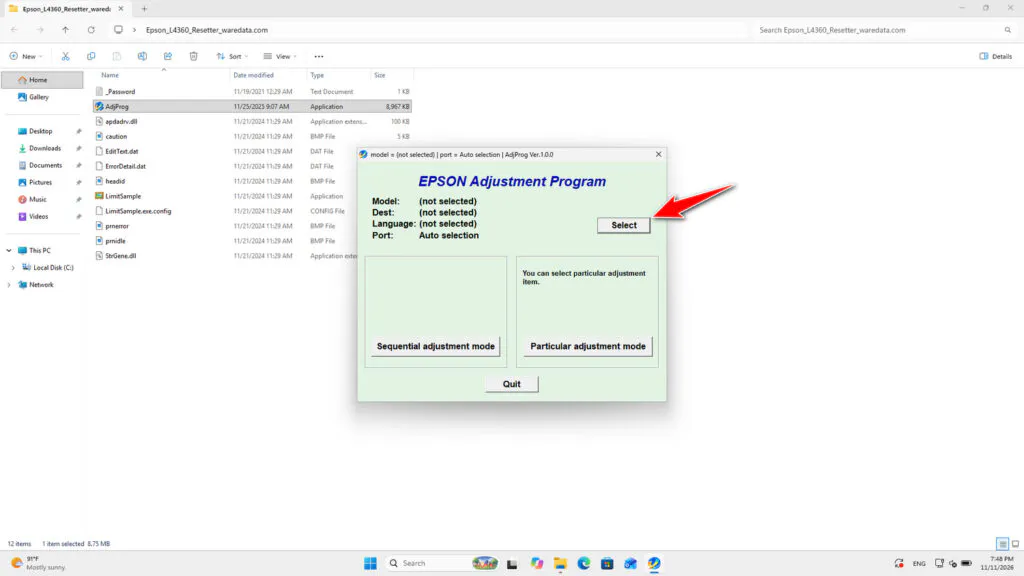
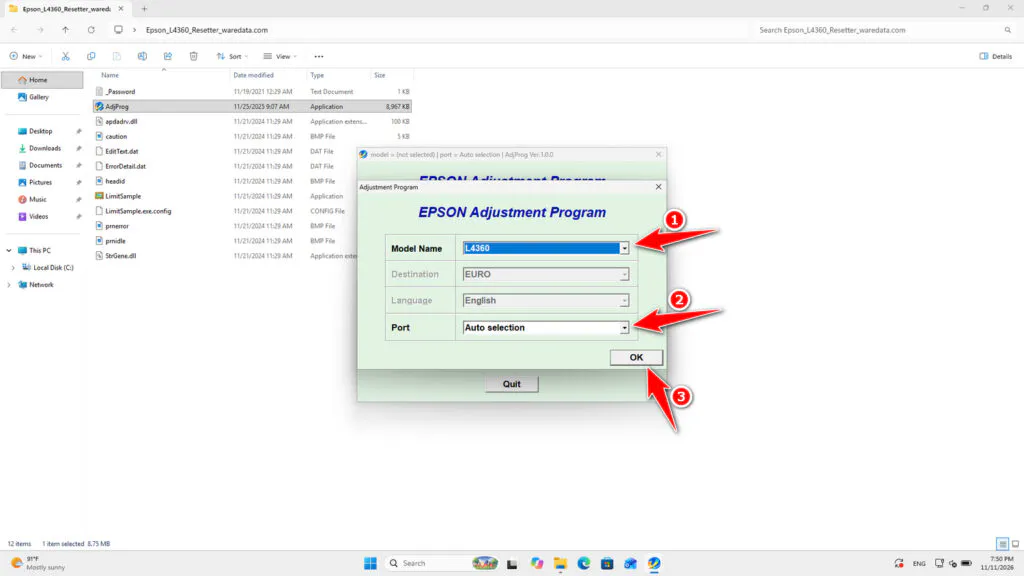
8. After that, select the printer model and its port. The port can be set to automatic or manual.
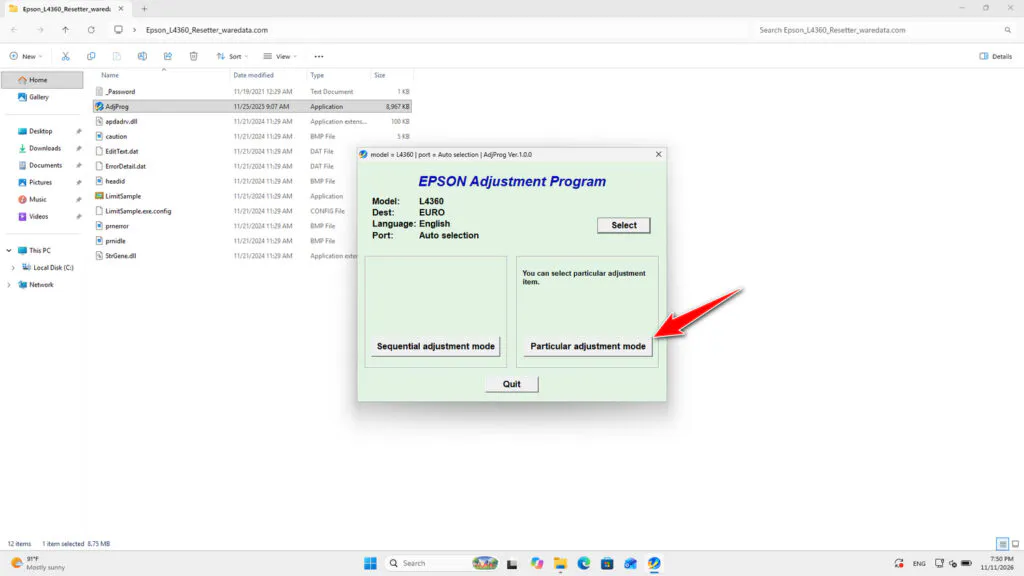
9. Click the Particular adjustment mode button.
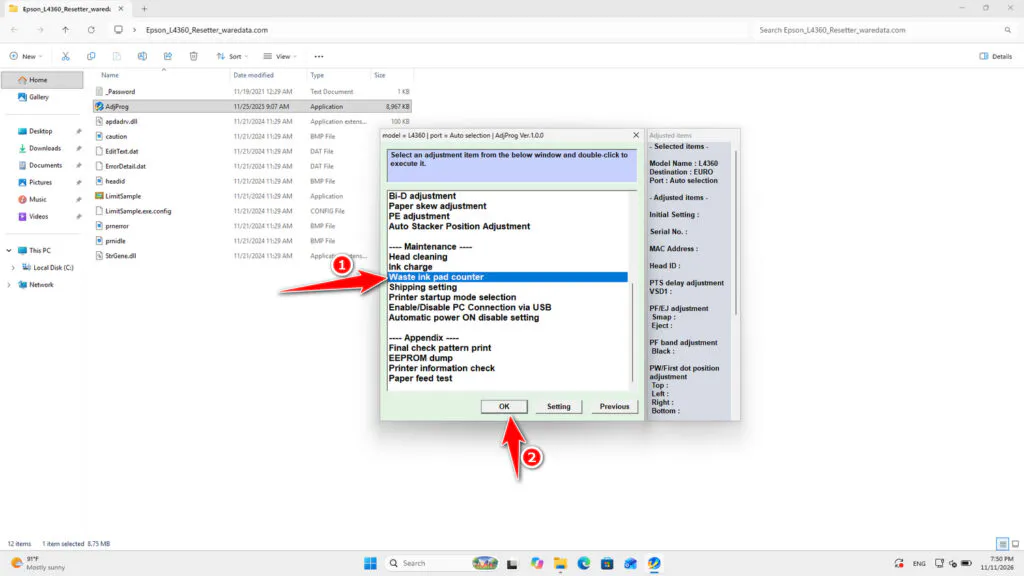
10. Select Waste ink pad counter. Then click OK.
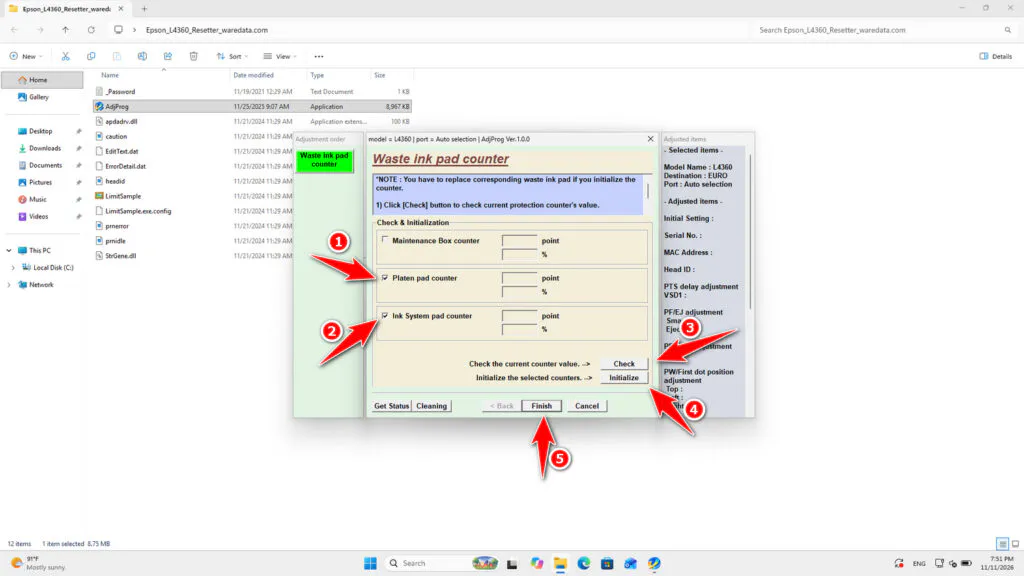
11. Tick the Platen pad counter and the Ink System pad counter, then click the Check button, and then click the Initialize button. After the reset is successful, immediately turn off the printer; then you can turn it on and use the printer again afterwards. Click Finish to end.
12. If the reset process fails, try moving the printer’s USB cable to another available port on the computer, and also make sure the antivirus has been temporarily disabled. Then you can try resetting again.
Epson L4360 Resetter Download
If you have an Epson L4360 printer and need resetter software, you can download the resetter through the following link.
File Size: 9.01MB
File Type: .ZIP
OS Support: Windows
Maybe you would like other interesting articles?