
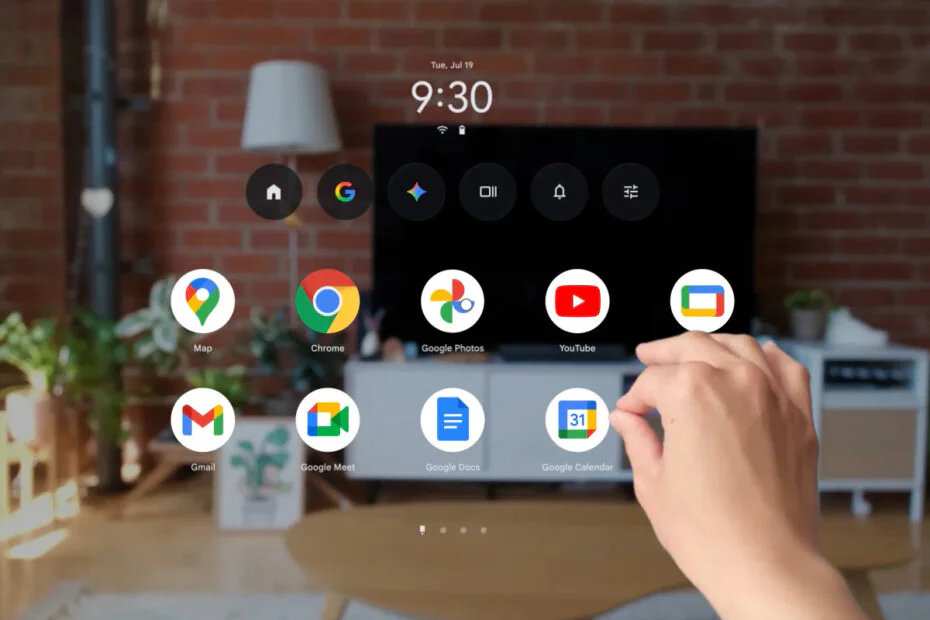
Since the Samsung Galaxy XR headset debuted late last year, early adopters have explored Android XR through immersive apps and games, with Gemini acting as an AI companion. Still, much of the experience has remained stuck in flat, two-dimensional windows, leaving the headset’s immersive displays underused. Beginning April 7, that limitation starts to lift.
Google is pushing out an Android XR update to make the headset feel more immersive and easier to use, while opening up new ways to watch, create, and explore. It brings five new experiences, including an experimental option that can turn almost any 2D app, game, or video into 3D with one button. The catalog of fully immersive apps has also grown quickly, more than doubling since the Galaxy XR launch to over 100 titles.
Alongside entertainment upgrades, the update introduces several practical improvements. Apps can now be pinned to walls, users can see their real hands interacting with virtual content in real time, and sessions automatically restore to preserve layouts. Android XR is also gaining workplace support through Android Enterprise integration and partnerships with major EMM providers. The update starts rolling out on April 7 to Samsung Galaxy XR headsets, with demos available at Samsung Experience Stores.
Here are the five features arriving with this Android XR update.
1. Transform 2D apps and content into 3D experiences
While headsets offer immersive displays, their potential has been limited by the number of apps that still run in 2D. A new experimental feature called auto-spatialization has been launched, letting users convert nearly any app, game, website, image, or video into a 3D experience with a single press. That could mean adding depth to YouTube videos, giving 2D games a new layer, or making Chrome browsing more immersive. The feature is available in the Labs tab under Advanced features in Settings.
2. Growing library of immersive app experiences
In addition to the millions of Google Play apps available on XR, more than 100 titles are now built specifically for immersive experiences, more than double the number at the Galaxy XR launch. New arrivals include Real VR Fishing, with Trombone Champ: Unflattened! coming soon. Existing apps are also expanding, such as the Paris Saint-Germain Immersion app, which now allows users to watch live matches from inside the stadium or from an overhead tabletop view.

3. Turn any wall into a workspace or entertainment center
Apps can now be pinned directly to walls, where they stay anchored in place. A calendar app can remain beside a desk during a session, while a streaming app can be positioned where a large TV might normally go.
4. See real hands while interacting with virtual content
In Home Space mode, users can now see their real hands interacting with virtual content instead of simple white outlines. The change helps keep interactions grounded in the physical environment, making gestures like reaching, pinching, and swiping feel more natural. The option can be enabled from the Labs tab in Settings.
5. Find apps right where you left them
When users pick their headset back up, the previous session is now automatically restored, reopening apps so users can jump right back in without having to reposition their preferred app layout each time.
The Android XR update begins rolling out to Samsung Galaxy XR headsets and also includes new hand tracking, eye tracking, and accessibility improvements.
XR now supports Android Enterprise, giving organizations a way to deploy immersive training and collaboration experiences at scale. Google is partnering with leading EMM (Enterprise Mobility Management) providers, including ArborXR, ManageXR, Microsoft Intune, Omnissa Workspace ONE, Samsung Knox Manage, and SOTI, to make Android XR devices ready for workplace use.
Users who haven’t experienced Android XR can try the new features firsthand on Galaxy XR devices at Samsung Experience Stores.
Maybe you would like other interesting articles?