
Microsoft has started rolling out updates to its Notepad and Paint apps for Windows Insiders in the Canary and Dev channels, adding new AI-powered features and usability improvements to enhance productivity and creativity.
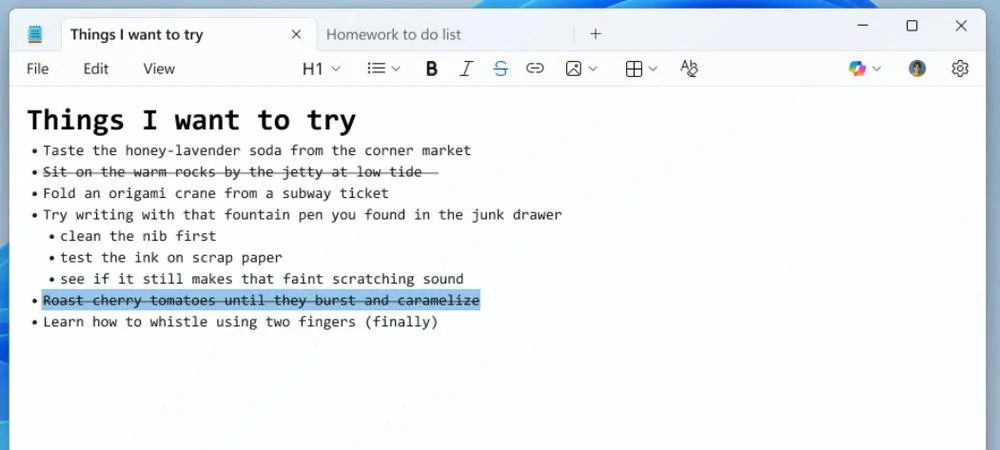
The update for Notepad (version 11.2512.10.0) focuses on enhancing its utility as a lightweight Markdown editor and improving its AI features. Support for lightweight formatting has been expanded to include additional Markdown syntax, specifically strikethrough formatting and nested lists. Users can access these through the formatting toolbar, keyboard shortcuts, or by editing Markdown directly.
A new welcome experience has been added to surface recently introduced features. The dialog is dismissible and can be reopened through a megaphone icon in the toolbar.
Microsoft has also made Notepad’s AI tools feel more responsive. Text from features like Write, Rewrite, and Summarize now appears as it’s being generated, offering a quicker preview, though users must be signed in with a Microsoft account.
The latest Paint update (version 11.2512.191.0) adds a new AI-powered feature called Coloring Book, which lets users create custom coloring pages from text prompts. After entering a description in the Copilot side panel, Paint generates line-art pages that can be added to the canvas, copied, or saved. The feature is limited to Copilot+ PCs and requires a Microsoft account.
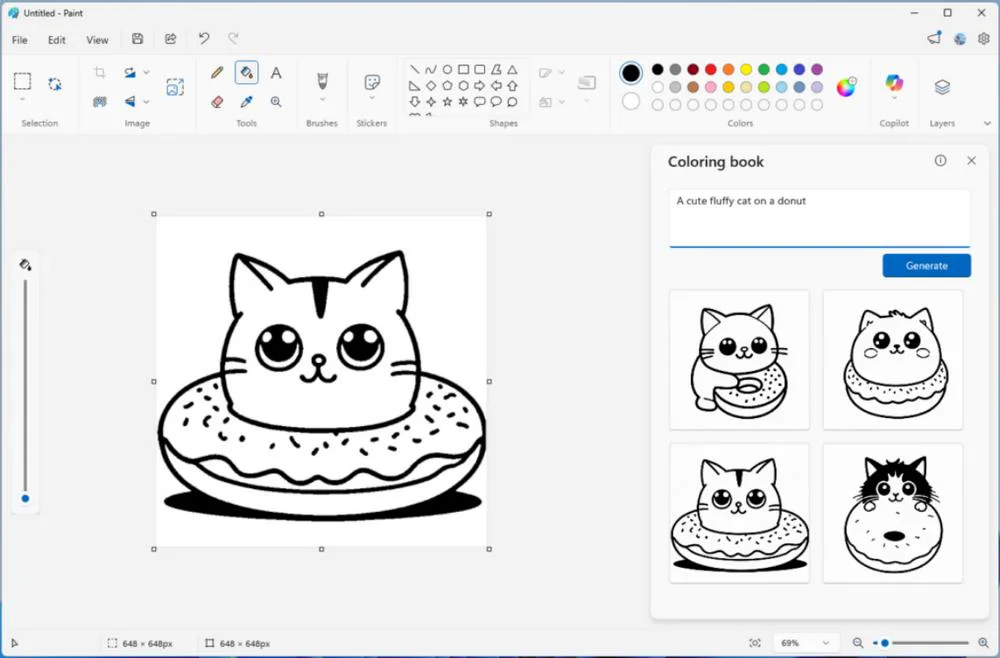
Paint is also gaining a more conventional improvement in the form of a fill tolerance slider, giving users greater control over how precisely the Fill tool applies color. The slider appears on the left side of the canvas when the tool is selected.
The changes are now available for testing by Windows Insiders in the Canary and Dev channels.
Maybe you would like other interesting articles?