
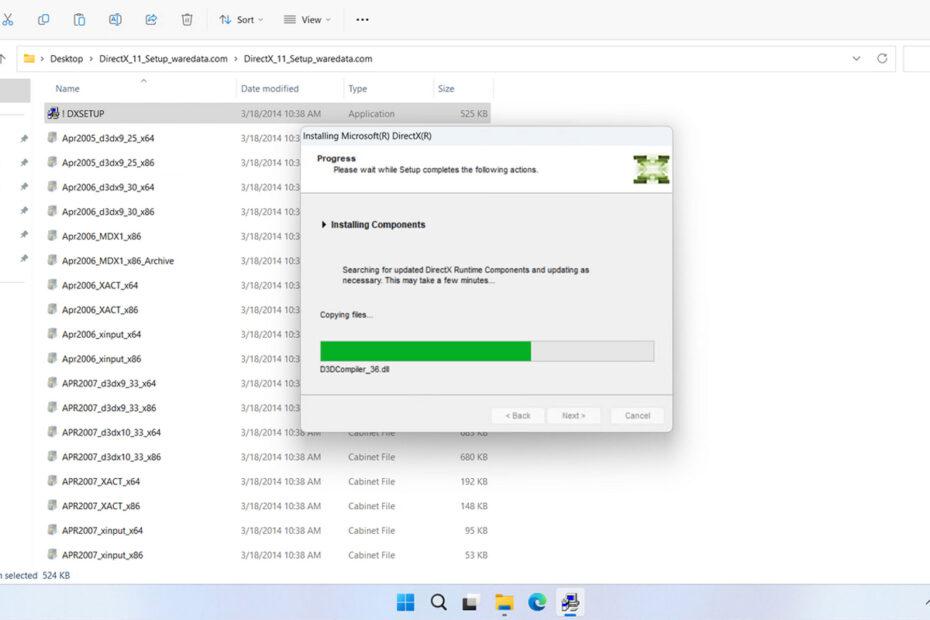
If you’ve ever launched a PC game and seen a message saying “Requires DirectX 11“, you might have wondered what it actually means. Is it something you need to download? Does it improve performance? And why do some games refuse to start without it?
Table of Contents
What Is DirectX 11?
DirectX 11 (often called DX11) is a collection of graphics and multimedia technologies developed by Microsoft. It helps games communicate with your computer’s hardware, especially your graphics card (GPU). DirectX provides a standard way for developers to build games that work across millions of Windows PCs.
DirectX 11 was introduced alongside Windows 7 in 2009, but it’s still widely used today. Therefore, if you might still want to play old games, DirectX 11 usually becomes a component that you need to install on your Windows.
DirectX 11 vs DirectX 12
Here’s a quick comparison.
| Feature | DirectX 11 | DirectX 12 |
|---|---|---|
| Ease of development | Easier | More complex |
| CPU overhead | Higher | Lower |
| Multi-core utilization | Good | Excellent |
| Hardware compatibility | Very wide | Requires newer GPUs |
| Stability | Extremely mature | Depends on the game |
How to Install DirectX 11
1. Installing DirectX 11 is quite easy, first you can download the package through the link below this article.
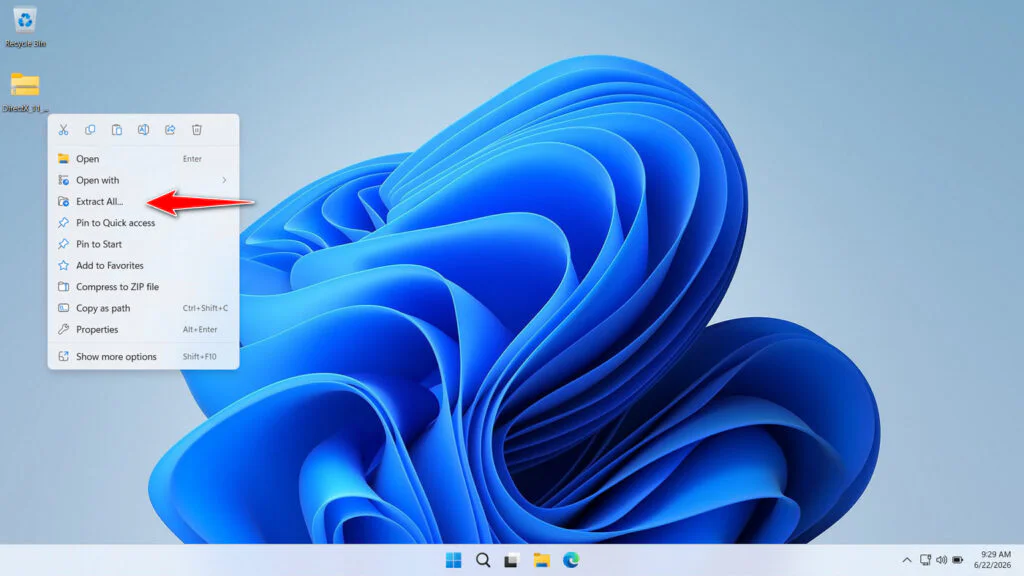
2. After downloading the DirectX 11 package, please extract it by right-clicking and then selecting Extract All.
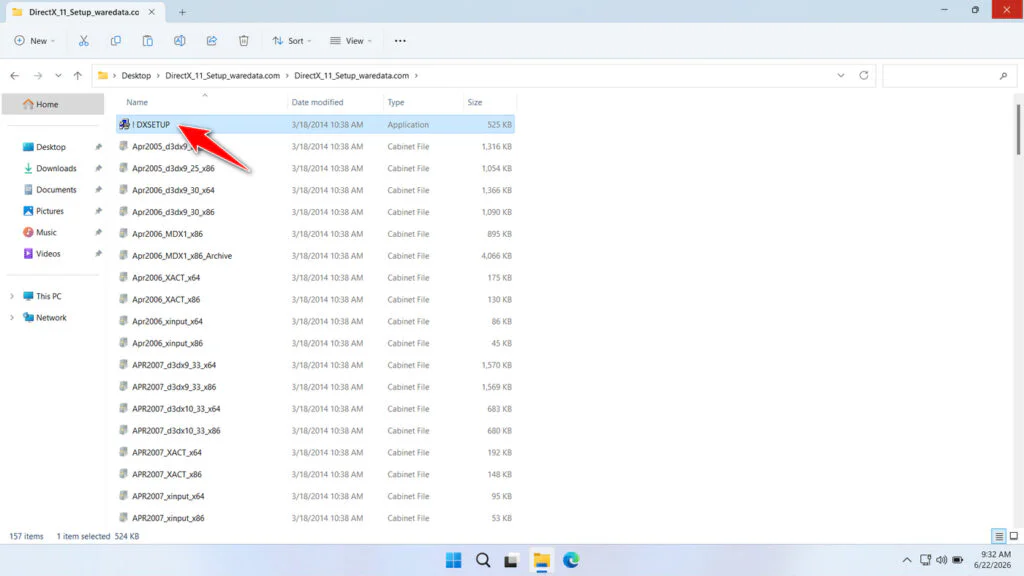
3. Open the extracted folder, then double-click on the ‘DXSETUP‘ file to start the installation.
4. Agree to the license agreement, then click Next.
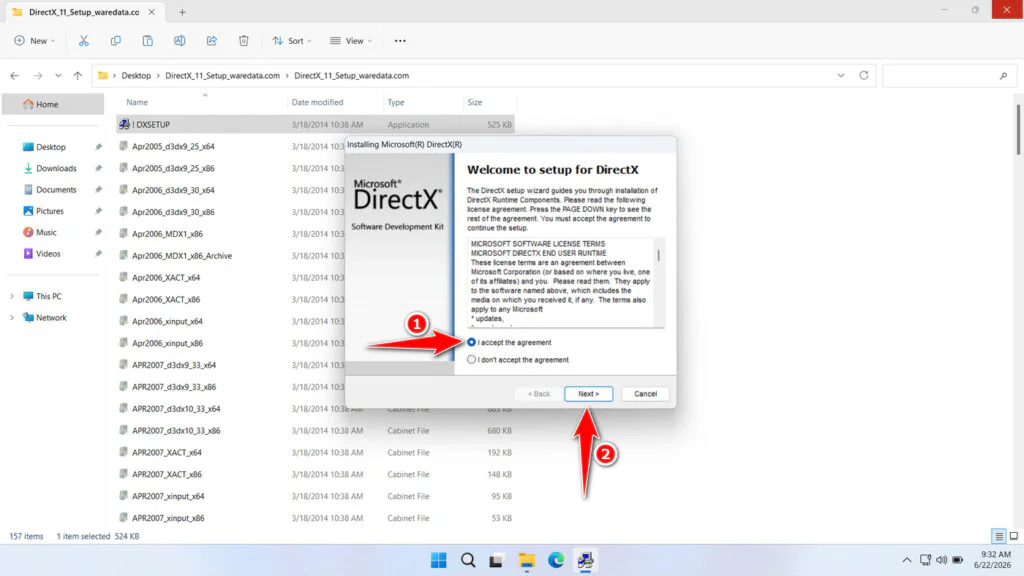
5. Click Next to continue the installation.
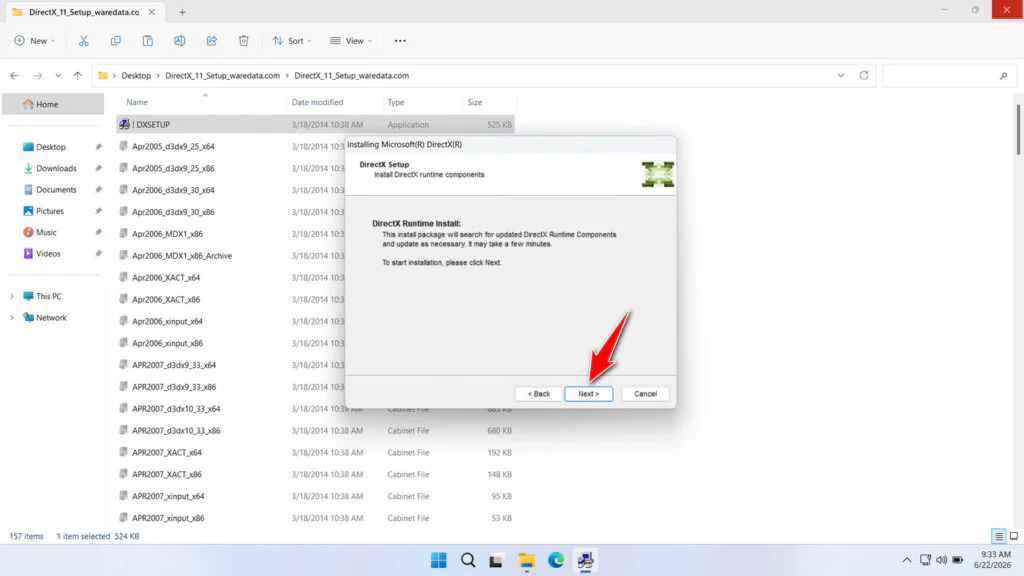
6. Wait for the installation process to finish.
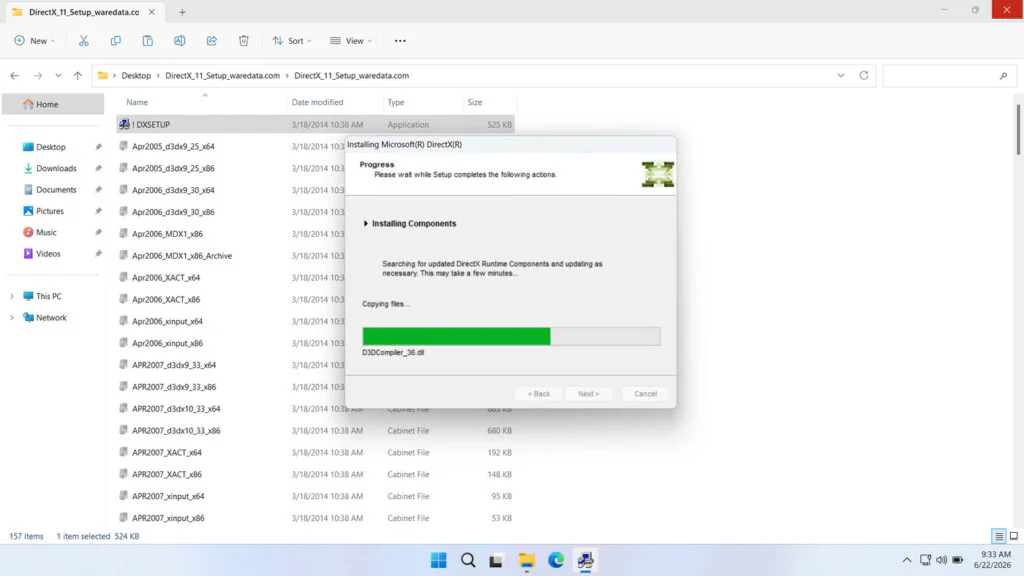
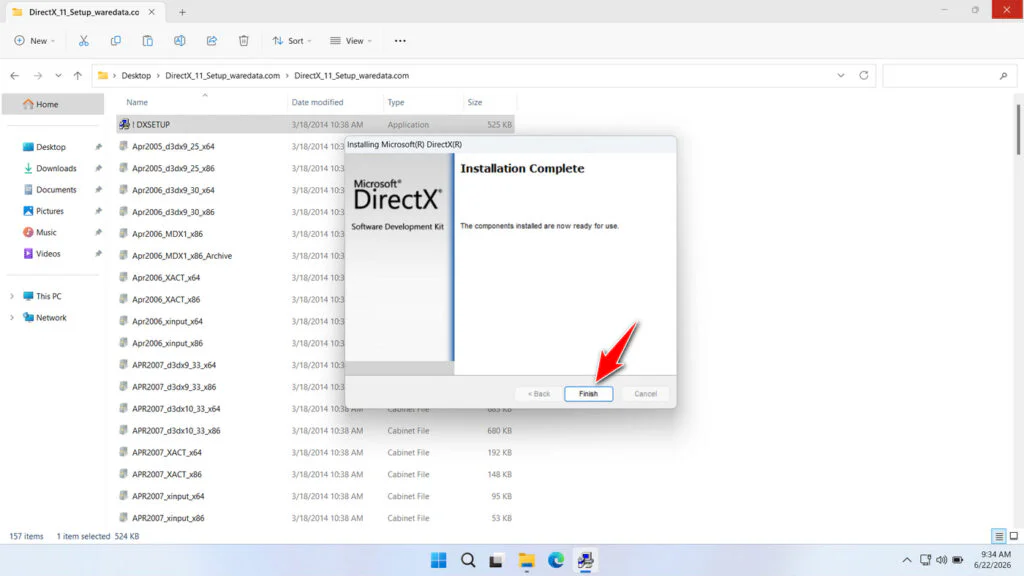
7. When you’re done, click Finish. You can restart your computer after that.
DirectX 11 Download
If you need DirectX 11 and want to install it on your Windows computer, you can download it through some links that we provide below.
File Size: 95.9MB
File Type: .ZIP
OS Support: Windows Vista SP2 and Windows 7/8/8.1/10/11
Maybe you’d like some other interesting articles?