
If you own a BRP vehicle and want to check its electronic systems, BRP BUDS 2 software might be the tool you’re looking for. Short for BRP Utility and Diagnostic Software, BUDS 2 is a diagnostic program designed to help technicians work with compatible vehicles from brands such as Sea-Doo, Ski-Doo, and Can-Am.
Unlike regular software that you install for everyday tasks, BUDS 2 is built for vehicle diagnostics and maintenance. You’ll need compatible hardware and the appropriate license to use its diagnostic features.
In this guide, we’ll cover what BRP BUDS 2 software does and how to download and install it on Windows OS.
Table of Contents
What is BRP BUDS 2 Software?
BRP BUDS 2 is a specialized diagnostic tool used to communicate with compatible BRP vehicle electronic control systems. It’s primarily intended for technicians, repair shops, and other users who need more detailed diagnostic information than a basic consumer tool can provide.
Depending on the vehicle and available permissions, BUDS 2 can help users perform tasks such as:
- Reading diagnostic trouble codes and reviewing vehicle faults.
- Monitoring available vehicle parameters.
- Accessing electronic control module information.
- Performing supported service and configuration procedures.
- Saving diagnostic information for future reference.
- Carrying out certain module-related operations on compatible vehicles.
Keep in mind that available functions depend on the specific vehicle, model year, diagnostic interface, and license. Not every feature works with every BRP model.
How to Install BRP Buds 2 Software
1. First, download the BRP Buds 2 Software from one of the links below this article.
2. Extract the file that has been downloaded.
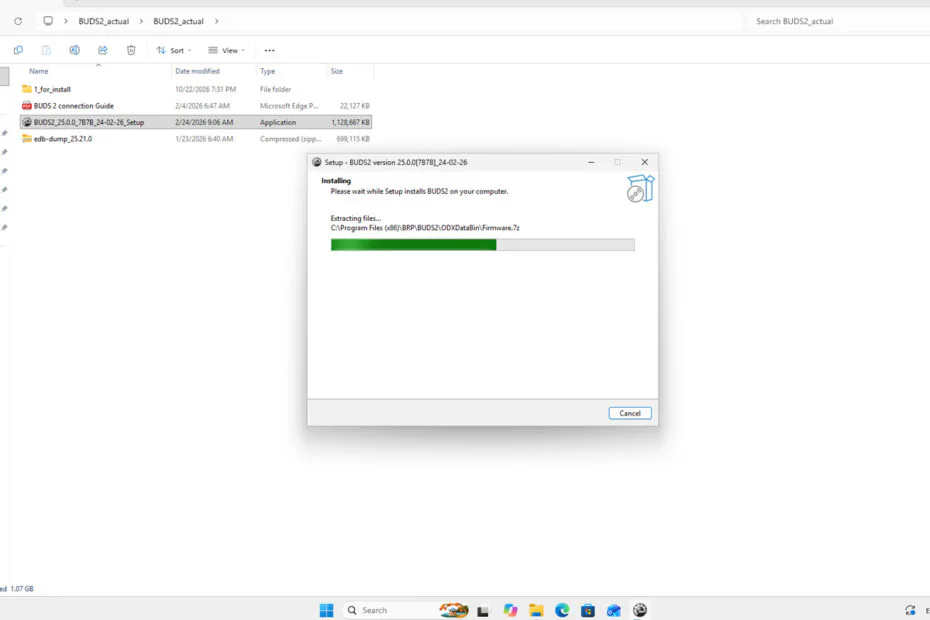
3. Open the folder that has been extracted, then right-click on the file “BUDS2_25.0.0_7B7B_24-02-26_Setup.exe“, and select Run as administrator.
4. After that, continue the installation until it is complete according to the instructions that appear on your computer screen.
BRP Buds 2 Software Download
For those of you who own a BRP vehicle and need the BRP Buds 2 Software to check your vehicle’s electronic systems, you can download the software through the following links.
Maybe you would like other interesting articles?