
The HP Photosmart D110 Printer is an old type of printer produced by HP, which is why finding its driver software can be difficult, especially since on the official HP website, the driver software is no longer supported.
That’s why here we will share the HP Photosmart D110 printer driver, along with a guide on how to install it on your Windows operating system.
Table of Contents
- What is HP Photosmart D110 Printer Driver
- How to Install HP Photosmart D110 Printer Driver
- HP Photosmart D110 Printer Driver Download
What is HP Photosmart D110 Printer Driver
HP Photosmart D110 printer driver is software that you must install on your PC so that the HP Photosmart D110 printer can be recognized and used to print documents/photos. Without the correct driver software, this printer will not be usable at all.
How to Install HP Photosmart D110 Printer Driver
1. Before you install the driver software, first make sure that the printer is turned on and connected to the PC using the printer cable.
2. Download the HP Photosmart D110 printer driver through the link we provided below this article.
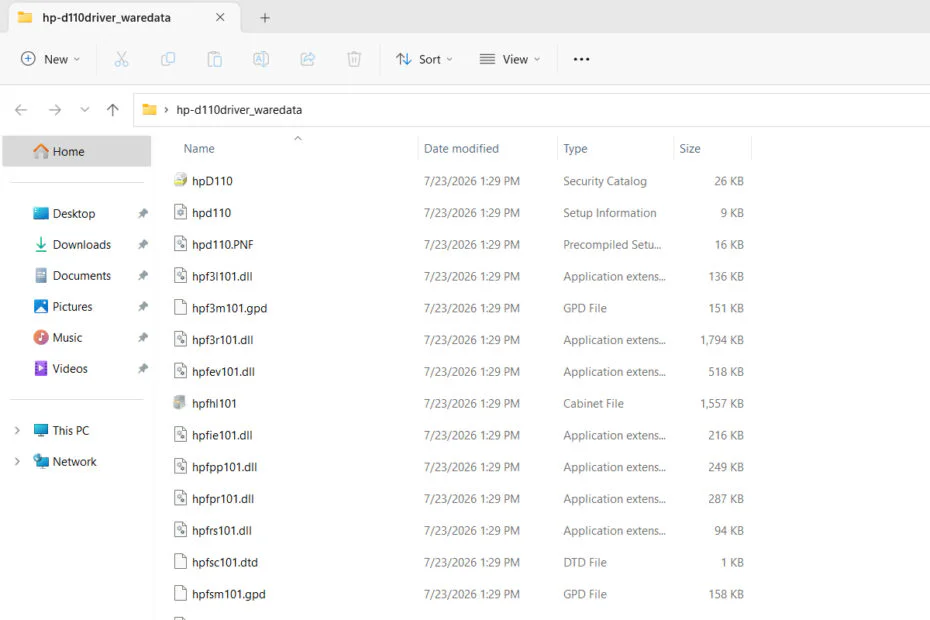
3. Extract the driver file that has been downloaded.
4. Open Device Manager; just search for it in Windows and then open it.
5. Click Action > Add drivers.
6. Click Browse and select the location of the folder containing the extracted driver.
7. Then click Next, and wait for the driver software to be successfully installed.
8. Your HP Photosmart D110 Printer should be able to operate normally.
HP Photosmart D110 Printer Driver Download
For you Windows users who are currently in need of driver software for the old HP Photosmart D110 printer. You can download the driver software through the link we provide below.
File Size: 5.45MB
File Type: .ZIP
Maybe you would like other interesting articles?