
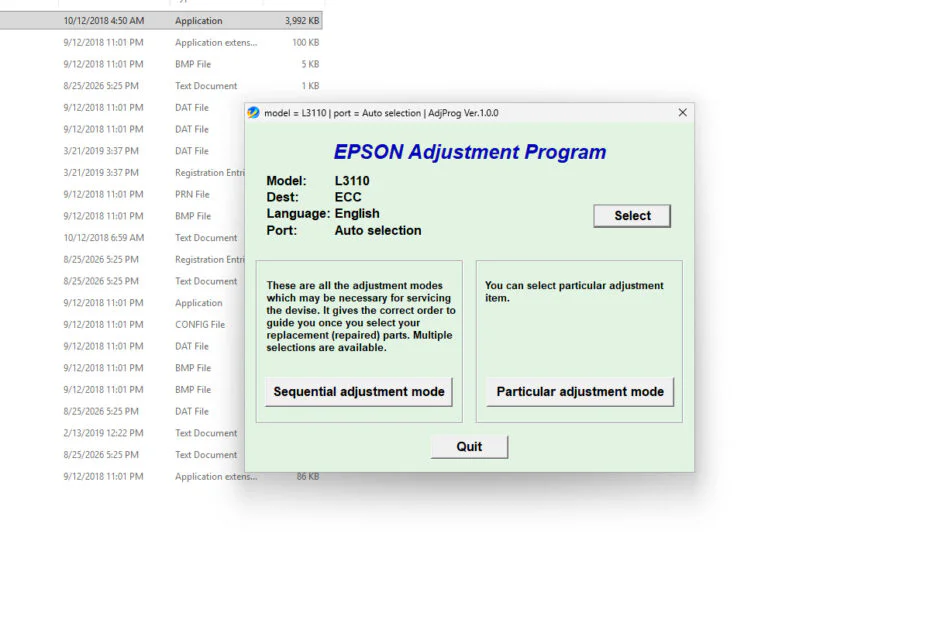
Epson L3160 Resetter is an adjustment program software specifically created to reset the Waste Ink Pad counter in the Epson L3160 printer (One series with type L3110). Although in fact this adjustment program software can also be used for other maintenance, such as cleaning the ink in the printer cartridge and so on.
For those of you who need the Epson L3160 Resetter, especially to clean the Waste Ink Pad Counter, you can follow the guide below. We will also provide a download link for the Epson L3160 Resetter.
Table of Contents
What is Waste Ink Pad Counter
Waste Ink Pad Counter on an Epson printer is a counter of the amount of ink considered to have gone into the waste ink pad inside the printer. When the counter reaches a certain limit, the printer can display messages such as “Service Required“, “A printer’s ink pad is at the end of its service life“, or flashing ink/error indicators.
How to Use Epson L3160 Resetter
To clean the Waste ink pad counter using the Epson L3160 Resetter, you can follow the guide below.
1. Before downloading the resetter file, temporarily disable all antivirus programs on your computer until the reset process is complete.
2. Download the Epson L3160 Resetter through the link below this article.
3. Extract the resetter file that you have downloaded, then open the resetter folder.
4. Run the file “Adjprog.exe“, then a pop-up will appear; please press CTRL + C to copy. You can paste it into a text editor like Notepad. Then just copy the Machine ID.
5. Open the Keygen folder, then run the WL_Gen_Epson L3110 file.
6. Click License Manager, click Add License, then paste the earlier Machine ID into the Hardware ID field, fill in the customer and company as you wish, then click Save.
7. Click Create License Key afterwards.
8. A folder will be created afterwards, based on the name of the customer and company. Copy all the contents of the files in that folder, then paste the files into one folder with the file “Adjprog.exe“.
9. Run the file “Adjprog.exe” again.
10. Click “Particular adjustment mode“, select Waste ink pad counter, then click OK.
11. Tick the options “Main pad counter” and “Platen pad counter.” Then click Check, then click Initialize.
12. After the reset is successful, please click Finish. Immediately turn off the printer, and you can turn your printer back on.
13. If the reset fails, you can try moving the printer’s USB cable to another port on your computer and try the reset process again.
Epson L3160 Resetter Download
The Epson L3160 Resetter only works on the Windows operating system; besides that, we recommend that you regularly check the condition of your printer at the nearest official Epson service center to keep the printer hardware in good condition.
For those of you who need the Epson L3160 Resetter, you can download it through the following link.
File Size: 5.8MB
File Type: .ZIP