
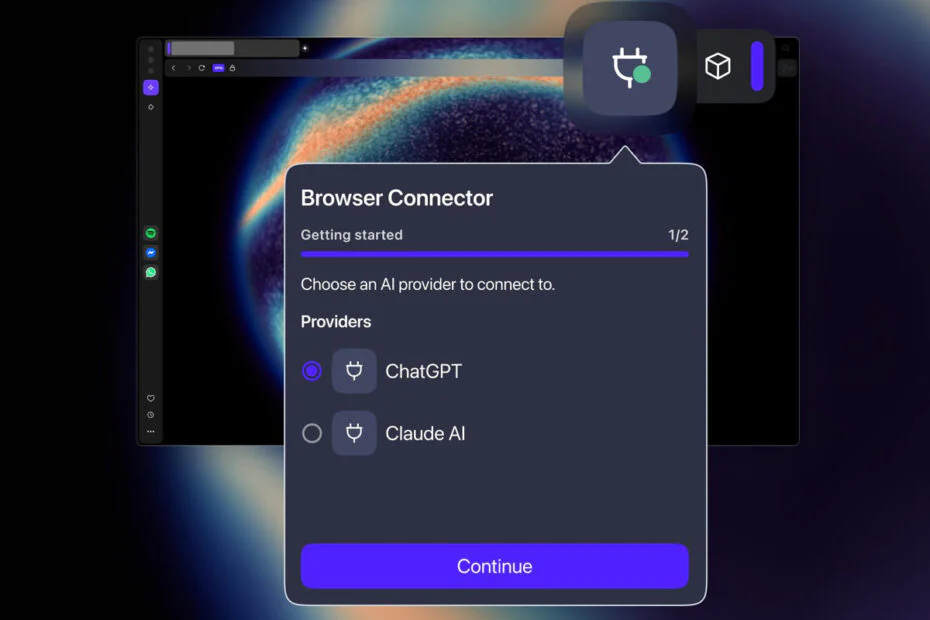
Opera has introduced a new option for integrating AI assistants into its browsers. The feature, called Browser Connector, lets Opera One and Opera GX users connect tools like ChatGPT or Claude directly within the browsing experience.
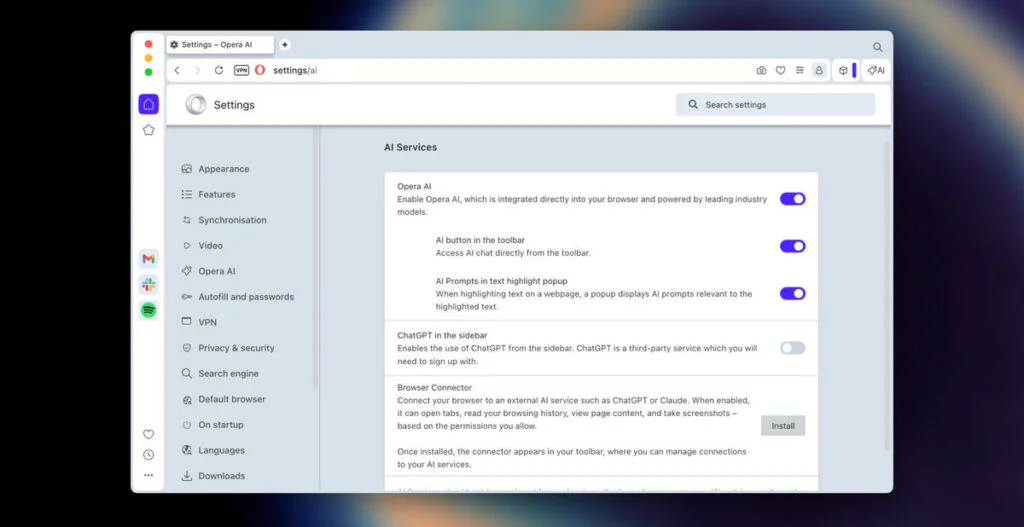
The chatbots can read and interpret content from active web pages, using information from open tabs to inform responses. The feature is free and can be turned on through the AI Services section in Settings.
What the AI can do
Once enabled, Browser Connector allows ChatGPT or Claude AI to perform several functions within the browser:
- Read open tabs
- Read tab content
- Take a screenshot of the tab
- Read your history
- Navigate to a page
- Open a tab with a page
- Close a tab
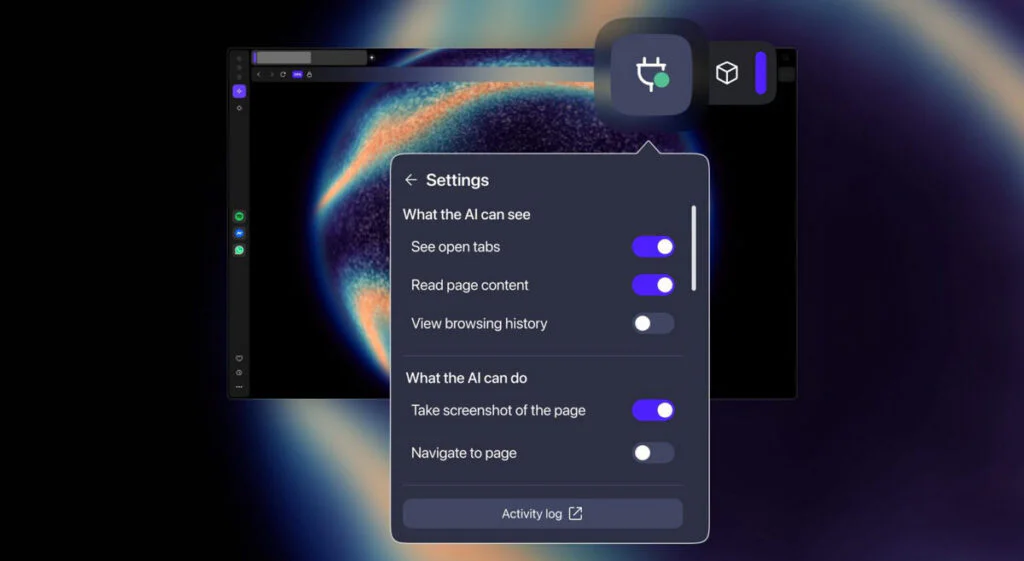
After installing Browser Connector, ChatGPT or Claude can access open tabs and capture screenshots by default. More sensitive actions, such as viewing browsing history or closing tabs, remain disabled unless users choose to enable them.
Users can always control what ChatGPT or Claude can do in their browser. The company notes that the chatbots will not be able to interact with webpages themselves, meaning no clicking, filling forms, or operating autonomously.
Opera is one of several browser companies experimenting with AI-focused services. Last year, it introduced Opera Neon, an agentic AI browser with a $20 monthly subscription.
A feature like Browser Connector gives users more flexibility, allowing them to move beyond a single provider and switch between different AI tools as needed.
Maybe you would like other interesting articles?